
Step-by-Step: Integrate Double the Donation Matching into Funraise
Funraise - Double the Donation FAQs
Double the Donation helps nonprofits and schools grow revenue across workplace giving programs, including matching gifts, volunteer incentives, payroll giving, and corporate sponsorship opportunities. Our workplace giving automation platform identifies eligible opportunities and drives more submissions to completion.
You’ll need a Double the Donation account to activate this integration. Not a Double the Donation client? Schedule a demo at https://doublethedonation.com/get-a-demo/
Phase 1: Activate Double the Donation Matching
Step 1 — Log Into Funraise
Go to https://platform.funraise.io/login.
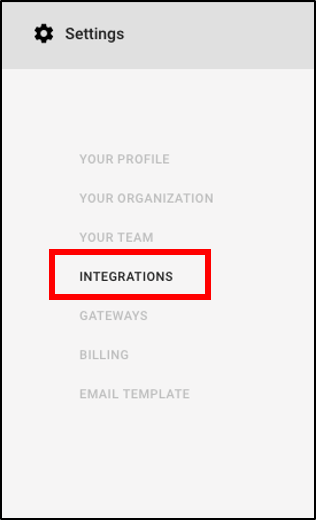
Step 2 — Navigate to Settings → Integrations
From the left-hand menu, open Settings, then select Integrations.
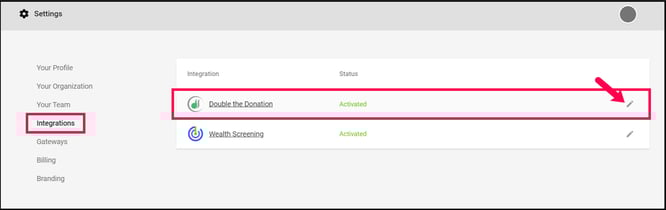
Step 3 — Open the Double the Donation Integration Card
Click the pencil icon on the Double the Donation card to edit.
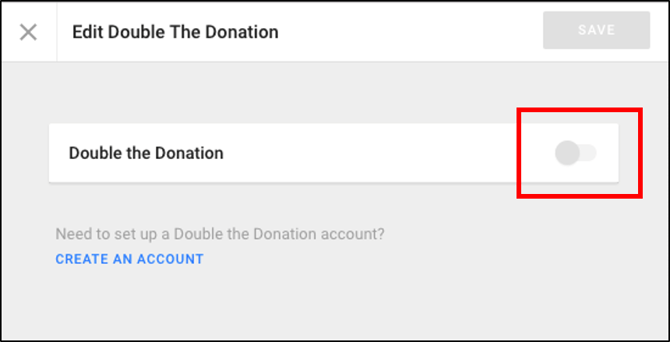
Step 4 — Enable the Integration and Enter API Keys
-
Toggle the switch to the right until it turns green.
-
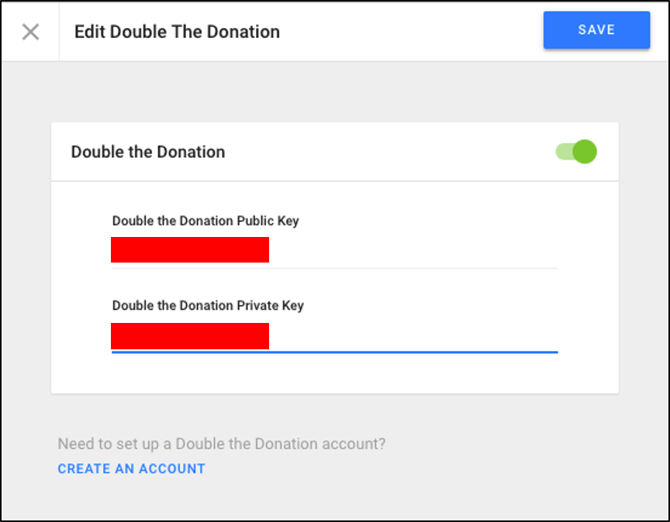
Enter your Public Key and Private Key from Double the Donation.
-
These are found under Account Profile Dropdown → API Keys in your Double the Donation.
-
-
Click Save.
Phase 2: Add Double the Donation to Your Funraise Giving Forms
Step 1 — Open the Giving Form Editor
Navigate to Settings → Payments.
Step 2 — Enable Corporate Matching on the Form
Scroll to Transaction Options and set Corporate Match to: Optional
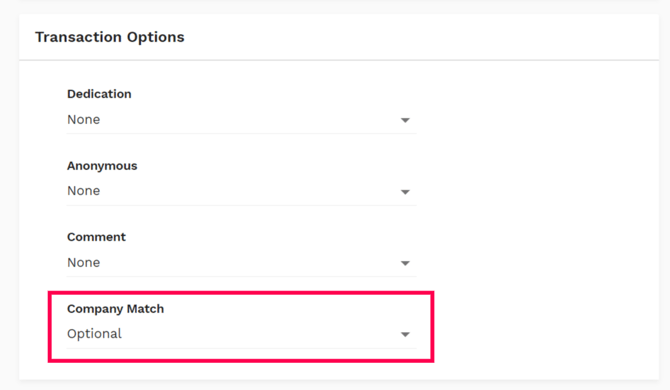
This turns on the matching gift workflow for the selected form.
Integration Complete
Once the above steps are complete:
-
Donors will see the matching gift field on your Funraise form
-
Matching gift information will be automatically delivered to donors
-
Donation and employer data will sync into your Double the Donation Matching portal for automated follow-up
Funraise - Double the Donation FAQs
Q: I don’t have a Double the Donation Matching account. How do I get one?
A: Visit the Double the Donation demo request page to schedule a demo. Mention that you use Funraise in your demo request form. You may also select Create an Account from the Funraise integration panel.
Q: I'm an existing Double the Donation client. Where do I find my credentials?
A: Login to your Double the Donation Matching portal at https://doublethedonation.com/members/login/. Your API keys are located at: Double the Donation → Account Profile Dropdown → API Keys. You will enter both keys into the Funraise Integrations tab.
Q: Where can I embed the Double the Donation plugin?
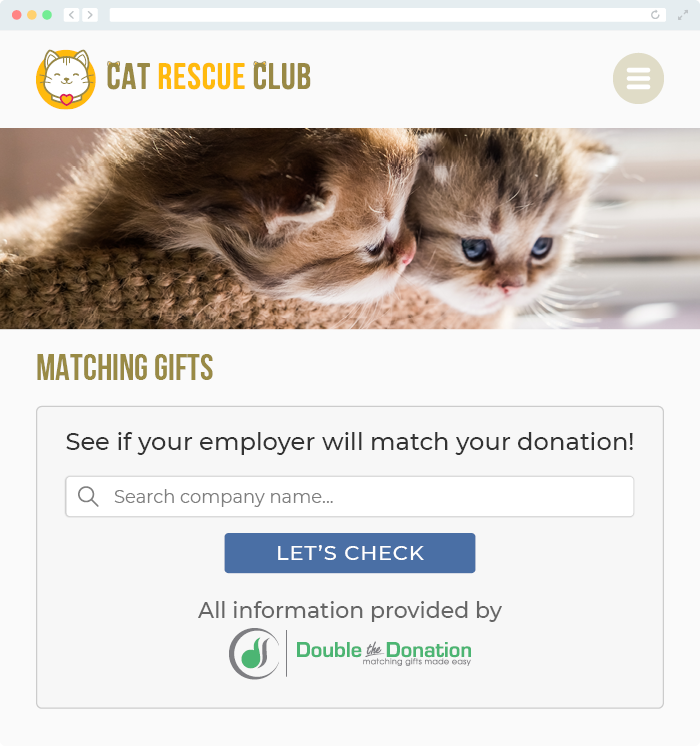
A: We recommend creating a dedicated matching gift page on your website. This page will help all website visitors, not just those on your donation form, understand matching gift programs and easily find their company’s matching gift guidelines and forms.
To embed the matching gift search tool, locate your embed code from your matching module. Full instructions are available here.
Q: Where can I learn more about the Double the Donation Matching and Funraise integration?
A: Navigate to our partner landing page to learn how Double the Donation Matching and Funraise can increase your matching gift revenue!
Q: What types of workplace giving programs does Double the Donation support?
A: Yes. Double the Donation helps nonprofits and schools maximize workplace giving by supporting a range of employer-sponsored programs, including:
- Matching gifts
- Volunteer grants and paid volunteer time off (VTO)
- Payroll giving
- Corporate sponsorship opportunities
To learn more:
- Current clients can visit our Knowledge Base or connect directly with our Support team to explore how to make the most of our full suite of products.
- To see how our partnerships and integrations help organizations unlock more workplace giving, check out our workplace giving integrations page.