
Step-by-Step: Integrate Double the Donation Matching into GoFundMe Pro (formerly Classy)
GoFundMe Pro (formerly Classy) - Double the Donation FAQs
Double the Donation helps nonprofits and schools grow revenue across workplace giving programs, including matching gifts, volunteer incentives, payroll giving, and corporate sponsorship opportunities. Our workplace giving automation platform identifies eligible opportunities and drives more submissions to completion.
You’ll need a Double the Donation account to activate this integration. Not a Double the Donation client? Schedule a demo at https://doublethedonation.com/get-a-demo/
Step-by-Step: Integrate Double the Donation Matching into GoFundMe Pro (formerly Classy)
Step 1 — Open Apps & Integrations
-
Log in to GoFundMe Pro.
-
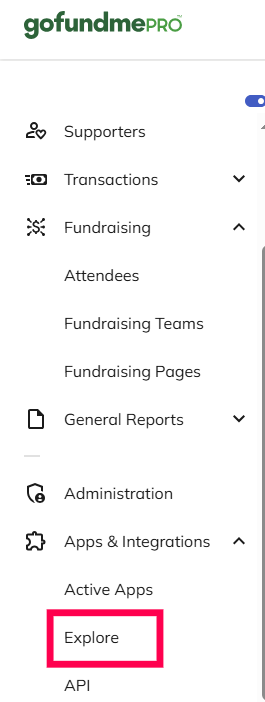
In the left menu, go to Apps & Integrations → Explore.
-
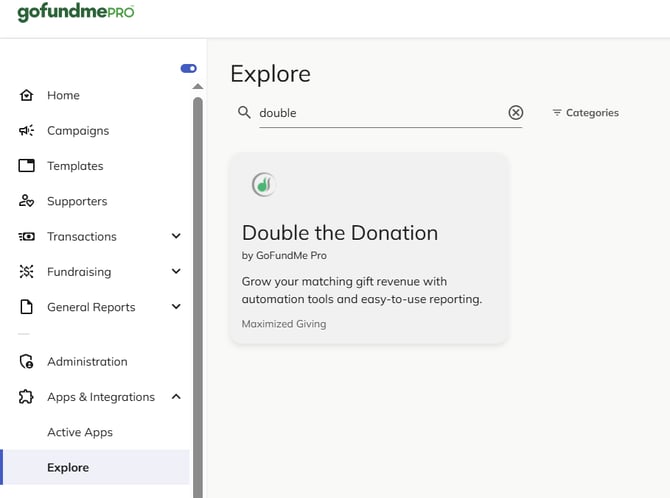
Find and select Double the Donation.
Step 2 — Enter API Keys
-
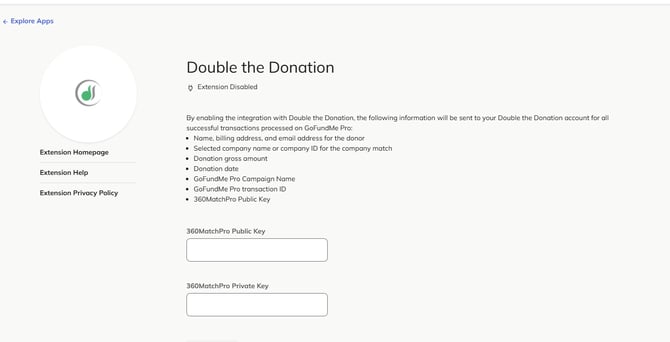
Paste your Public and Private API keys from Double the Donation → Account Profile Dropdown → API Keys.
-
Click Save.
Not sure how to find your API keys? Check out this article.
Step 3 — Enable Matching Gifts on Each Campaign
For each campaign you want enabled:
-
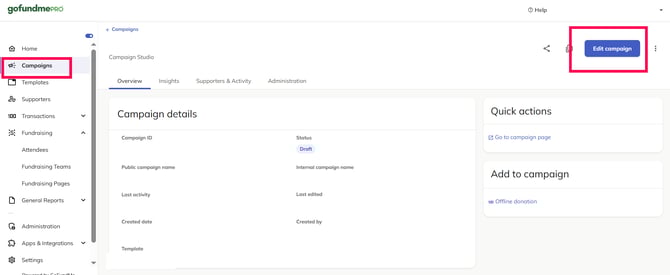
Open the campaign and click Edit.
-
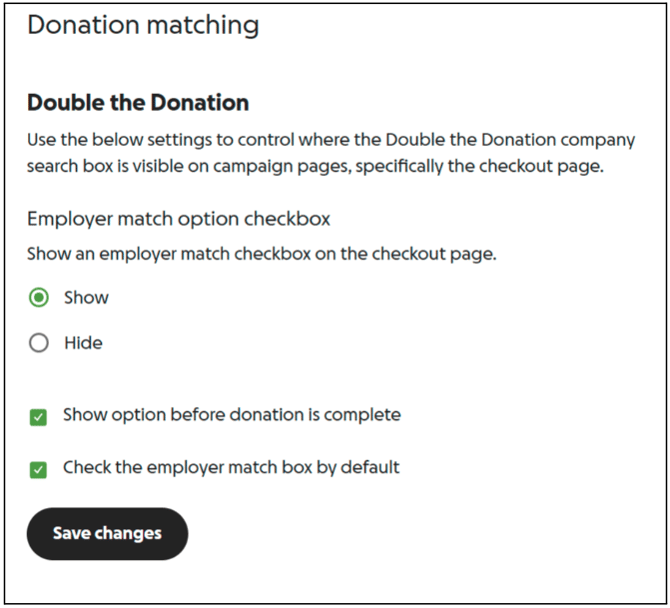
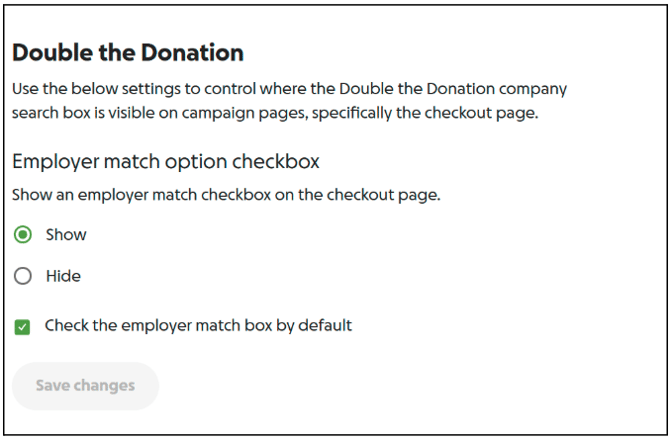
Under Donation Matching, configure the options below (recommended).
Recommended settings
-
Embedded pages - Employer match checkbox: Show
-
Studio pages - Check employer match box by default: On
-
Show option before donation is complete: On (especially for embedded pages)
Step 4 — Save and Repeat
Click Save changes and repeat for additional campaigns.
-
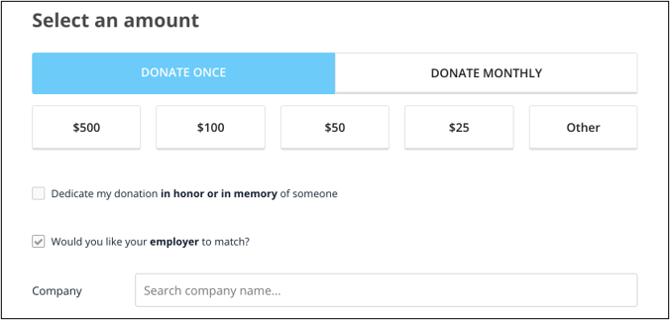
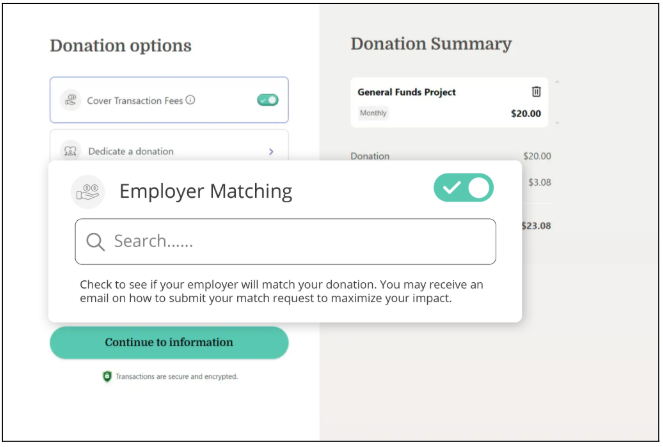
Standard donation form with Double the Donation enabled
-
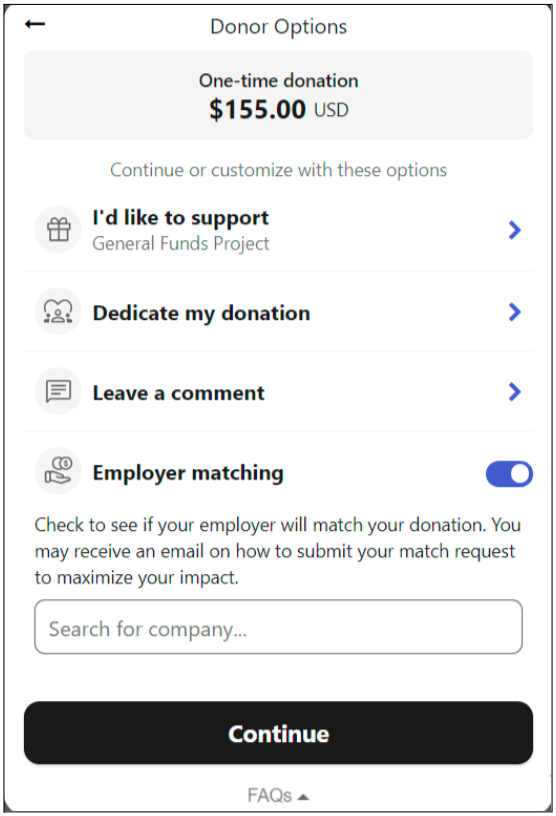
Embedded form with Double the Donation enabled
-
Full page campaign studio form with Double the Donation enabled
GoFundMe Pro (formerly Classy) - Double the Donation FAQs
Q: I don't have a Double the Donation Matching account. How do I get one?
A: Visit the Double the Donation demo request page to schedule a demo. Mention that you use GoFundMe Pro in your demo request form.
Q: Can I add and remove Double the Donation Matching to individual donation forms?
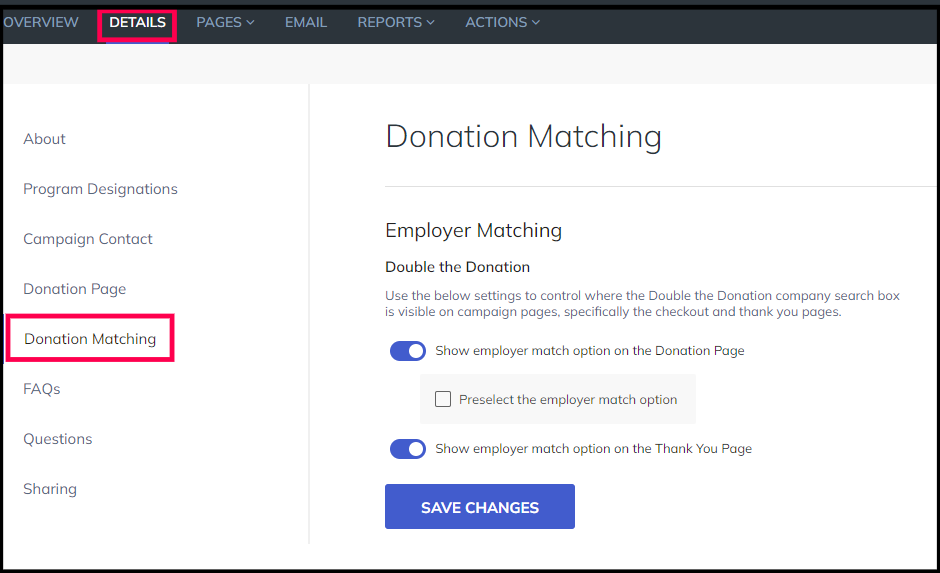
A: Yes! Navigate to your individual donation form settings, and select the option to edit the page. Then, select "Details" then "Donation Matching" and toggle on or off the donation search bar and confirmation page options.
Q: Which donation fields will be imported into Double the Donation Matching?
A: The following information is always passed into Double the Donation Matching:
-
Donation identifier
-
First and last name (from the billing section)
-
Donation amount
-
Email address
-
Phone number
-
Campaign (when present)
Q: How can I turn off the integration?
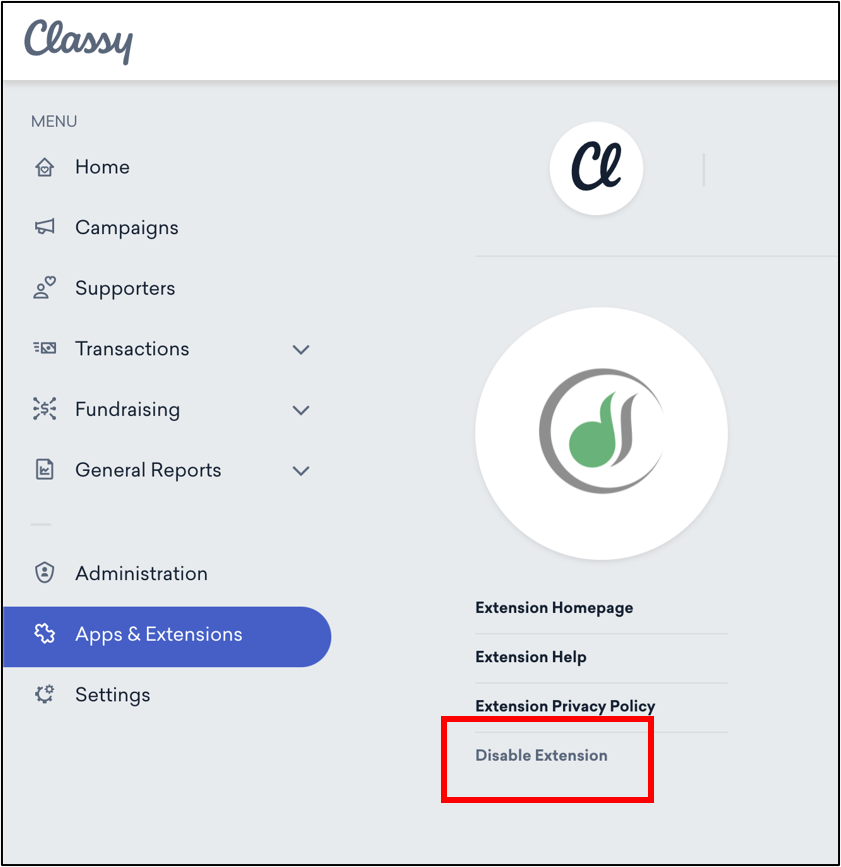
A: If you wish to disable Double the Donation, navigate to the Double the Donation App in Apps & Extensions and select "Disable Integration".
Q: Is the Double the Donation Matching integration available for all GoFundMe Pro plans?
A: The Double the Donation Matching integration is available for all prepaid GoFundMe Pro plans! The Double the Donation Matching integration is not available for free/pay-as-you-go GoFundMe Pro plans.
Q: Is the Double the Donation Matching integration available on embedded donation forms and studio forms?
A: Yes! Double the Donation Matching works with standard donation forms, embedded donation forms, and campaign Studio forms.
Q: Do anonymous donation records pass from GoFundMe Pro to Double the Donation Matching?
A: If an anonymous donor did not provide their company name, then the transaction record will not pass over to Double the Donation Matching.
Q: Where is the donor first/last name pulled from?
A: The donor first/last name are pulled from the billing section of the donation form.
Q: Which donation records will flow from GoFundMe Pro into Double the Donation Matching?
A: Donation records from integrated Studio Donation Page and Embedded Form campaigns, Legacy FRS Forms, and Classic Peer to Peer campaigns will flow into Double the Donation Matching.
Q: Is the GoFundMe Pro + Double the Donation Matching integration available to organizations based in Canada?
A: While Double the Donation’s products themselves are available to Canadian organizations, currently, the GoFundMe Pro integration with Double the Donation Matching is not supported for Canadian organizations.
Q: What happens if a donation is deleted from GoFundMe Pro?
A: If you would like the donation to also be automatically be deleted from Double the Donation Matching, connect with your Double the Donation rep (support@doublethedonation.com) for instructions on how to set up some advanced integration functionality.
Q: Where can I learn more about the Double the Donation Matching and GoFundMe Pro integration?
A: Navigate to our partner landing page to learn how Double the Donation Matching and GoFundMe Pro can increase your matching gift revenue!
Q: What types of workplace giving programs does Double the Donation support?
A: Yes. Double the Donation helps nonprofits and schools maximize workplace giving by supporting a range of employer-sponsored programs, including:
- Matching gifts
- Volunteer grants and paid volunteer time off (VTO)
- Payroll giving
- Corporate sponsorship opportunities
To learn more:
- Current clients can visit our Knowledge Base or connect directly with our Support team to explore how to make the most of our full suite of products.
- To see how our partnerships and integrations help organizations unlock more workplace giving, check out our workplace giving integrations page.
Training Video