
Double the Donation is an end-to-end workplace giving engagement platform that connects donors, their employers, and your organization in one seamless experience. You’ll need a Double the Donation account to activate the matching gift functionality within this partner platform. Not a Double the Donation client? Schedule a demo at https://doublethedonation.com/demo-request/.
This guide explains how to add the Double the Donation plugin to a Workplace Giving page on your REACH site. If you're looking to integrate Double the Donation with your donation form, check out our available integration guides here.
Step-by-Step: Integrate Double the Donation's Plugins into REACH
Step 1 — Copy the Double th Donation Plugin Code
-
Log in to Double the Donation.
-
Navigation Path
-
Matching:
Settings → Plugin Settings -
Volunteering:
Plugin Settings -
Payroll Giving:
Plugin Settings
-
-
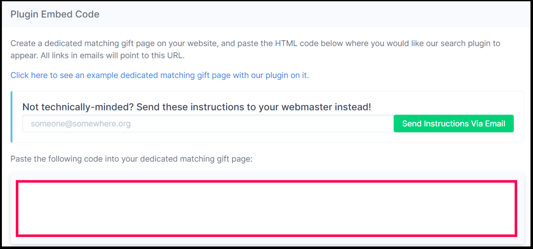
Highlight and copy the Plugin Embed Code.
Step 2 — Open (or Create) a Dedicated Page/s
- Log in to your REACH admin account.
- Navigate to Portal Content → Pages in the left sidebar.
- Click the + Add a Page button.
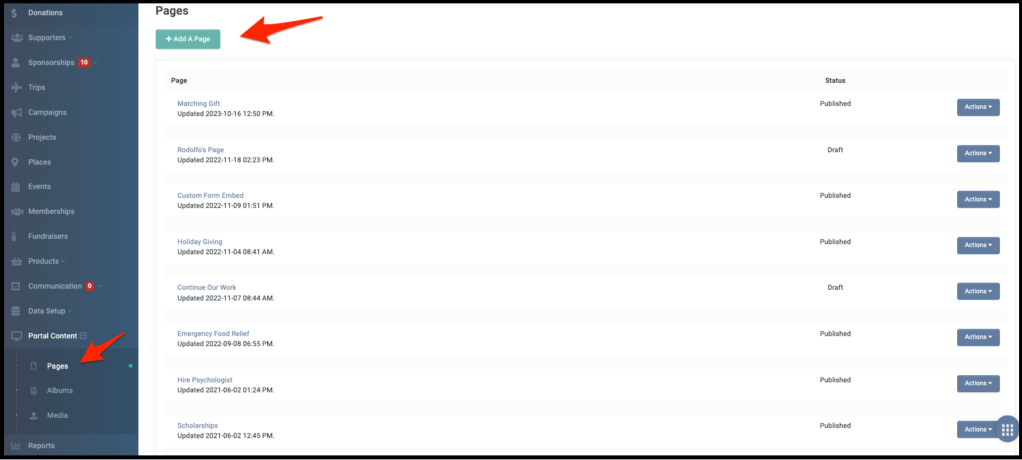
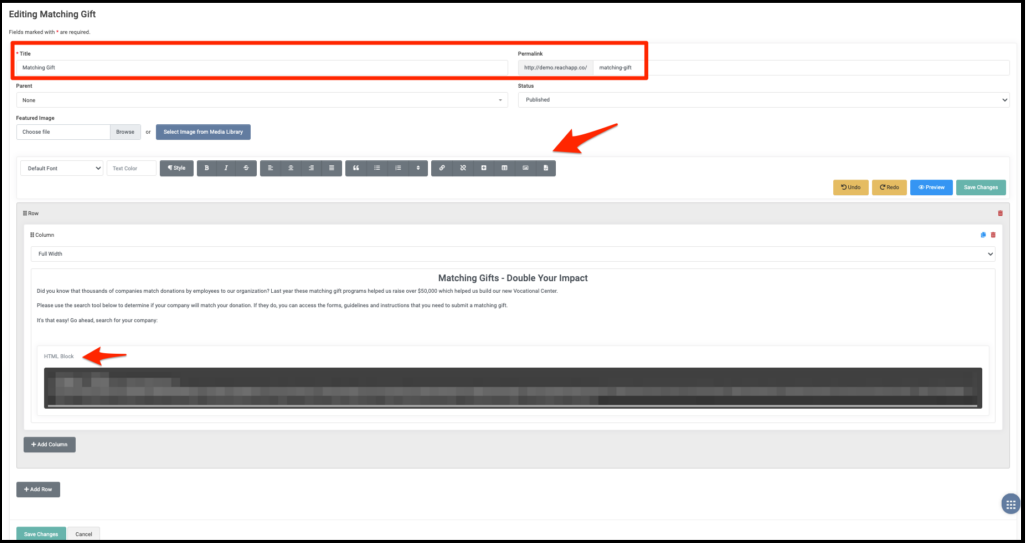
- Enter a descriptive Title (e.g., Matching Gifts - Double Your Impact).
- Add your introductory text or relevant background information into the Body field.
- Upload or embed any desired media or branding assets.
Step 3 — Paste the Code as HTML
On your REACH page:
- Click the Insert/Edit HTML Block button.
- Paste the embed code provided by Double the Donation.
- Save your page.
If you’re using the previous Page editor in REACH, add the code under Tools > Source Code.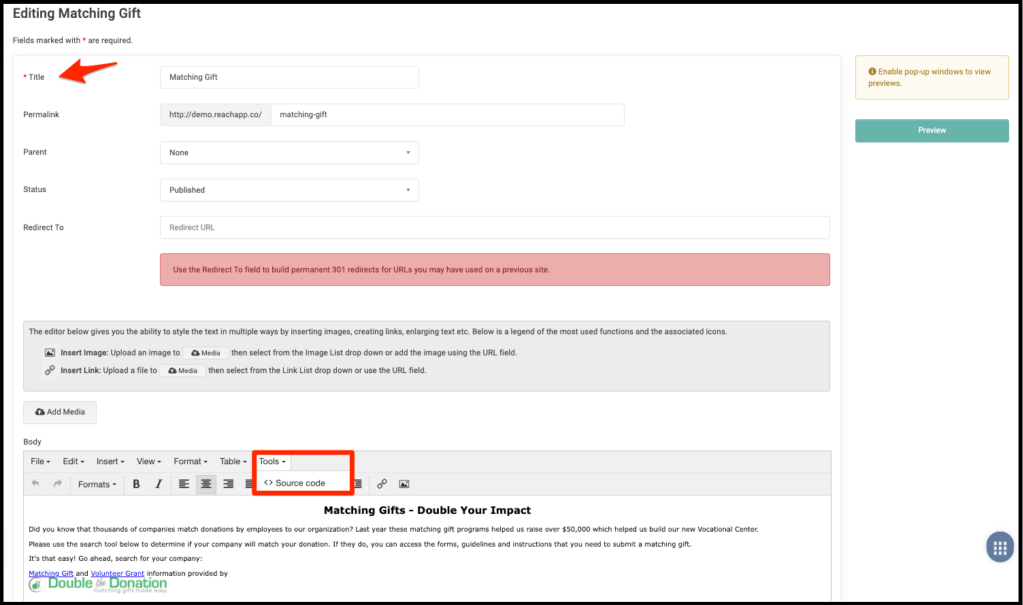
Result
-
Double the Donation plugin renders on the page
-
Supporters can search for employer's workplace giving information
Step 4 — Register the Page URL
-
Copy the live URL of your page.
-
Return to Double the Donation → Settings → Plugin Settings.
-
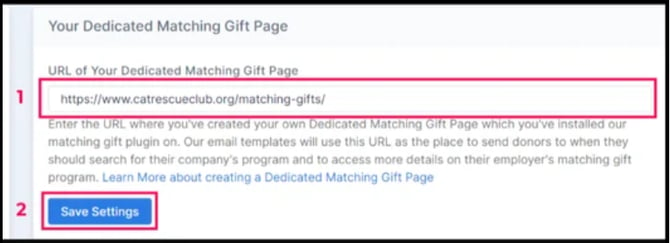
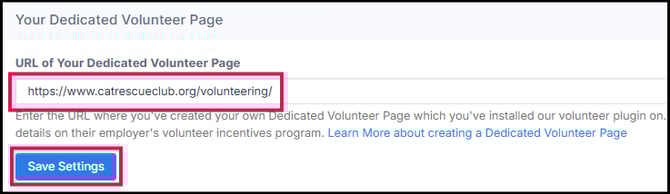
Paste the URL into
-
Your Dedicated Matching Gift Page
-
Your Dedicated Volunteer Page
-
Your Dedicated Payroll Giving Page

-
-
Click Save Settings.