
Overview of Double the Donation Volunteering
Best Practices: Promoting Volunteering on Your Website
Double the Donation Volunteering: Frequently Asked Questions
Overview of Double the Donation Volunteering
Double the Donation Volunteering is designed to support organizations in promoting corporate volunteer programs among their donors and volunteers. It allows users to easily find out if their employers offer volunteer PTO (Paid Time Off) hours and volunteer grants.
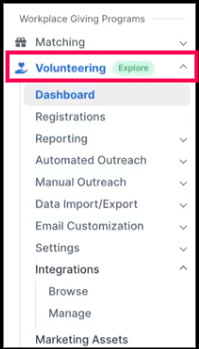
You can access the volunteer module from the sidebar menu in your Double the Donation account.
How Double the Donation Volunteering Works
Double the Donation Volunteering connects your volunteer data, website experience, and automated outreach to help supporters discover and act on workplace volunteer incentives.
1. Volunteer Registration via VMS Integration
When a supporter signs up through your Volunteer Management System (VMS):
- Their registration data is passed into Double the Donation
- This may include:
- Name and email
- Employer (if provided)
- Volunteer activity details
This integration allows the system to automatically identify and segment volunteers for follow-up engagement.
2. Company Search Tool (Plugin Experience)
During or after registration, volunteers can interact with the company search plugin embedded on your site.
With the plugin, volunteers can:
- Search for their employer
- Instantly see if their company offers:
- Volunteer PTO (VTO)
- Volunteer grants
- Receive guidance on how to take the next step
This helps surface the most relevant opportunity at the right moment.
3. Automated Email Outreach
Based on the information collected during registration, volunteers are automatically placed into one of two email streams:
-
Volunteer Incentives Available
Triggered when a volunteer:
-
-
Provides a corporate email address, or
-
Identifies their employer using the search tool
-
What happens:
-
-
The volunteer receives emails with:
-
Company-specific volunteer program details
-
Instructions to submit volunteer hours or grants
-
-
-
-
Discover Volunteer Incentives
Triggered when a volunteer:
-
-
Uses a personal email address, or
-
Does not identify their employer
-
What happens:
-
-
The volunteer receives emails encouraging them to:
-
Search for their company
-
Discover potential volunteer incentives
-
-
4. Guided Next Steps for Volunteers
Across both the plugin and email experience, volunteers are guided to:
- Check eligibility for volunteer incentives
- Log volunteer hours
- Submit volunteer grant requests
This ensures supporters move from awareness → action → completed incentives
5. Continuous Engagement Loop
The system works together as a loop:
- Volunteer registers (VMS)
- Searches employer (plugin)
- Receives targeted follow-up (automated emails)
- Takes action (submit hours or grants)
This integrated approach helps your organization:
- Increase participation in volunteer programs
- Capture more volunteer grants
- Maximize the impact of volunteer activity
Feature-Specific Articles
- Getting Started: Dashboard Overview (Double the Donation Volunteering)
- Getting Started: Plugin Settings (Double the Donation Volunteering)
- Getting Started: Resources (Double the Donation Volunteering)
- Getting Started: Integrations (Double the Donation Volunteering)
- Getting Started: Automated Outreach Overview (Volunteering)
- Getting Started: Email Customization Overview (Double the Donation Volunteering)
Best Practices: Promoting Volunteering on Your Website
We recommend creating dedicated landing pages for each type of workplace giving, such as matching gifts, volunteer grants, and payroll giving, and embedding the respective plugins on each page. This allows donors to easily access the information most relevant to them.
Marketing Tips for Volunteering:
Check out our new blog post on Recommended Approaches to Marketing Workplace Giving on Your Website. It includes:
-
Build a Dedicated Volunteering Page: Creating a dedicated page for company-sponsored volunteering helps supporters quickly understand and act on available opportunities.
-
Embed the Volunteering Plugin: Place the Double the Donation volunteering plugin directly on this page so supporters can:
-
Instantly search for their company
-
View available volunteer benefits
-
Take immediate action
-
-
Reinforce with Clear Messaging: Use concise, action-driven language. This helps reduce friction and increases participation.
Double the Donation Volunteering: Frequently Asked Questions
Q: Does Double the Donation Volunteering cost anything?
A: There is no cost to embed the volunteering plugin on your website! If you are on any Double the Donation plan, you will see the plugin embed code in your account.