
Overview of the Sponsorships Dashboard
Key Components of the Dashboard
1. Corporate Opportunities Database Metrics
3. Today's Featured Opportunities
4. Inbound Sponsorship Plugin Status & Quick Links
5. Want to See More? (Search Directory)
Overview of the Sponsorships Dashboard
The Sponsorships Dashboard provides a high-level summary of your organization's corporate sponsorship workflow. From the dashboard, you can track active opportunities in your pipeline, access database statistics for corporate grants and in-kind donations, and navigate to key plugin settings.
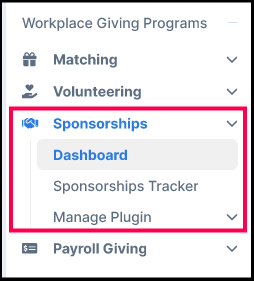
To access the dashboard, log in to your Double the Donation account and select Sponsorships → Dashboard from the left navigation menu.
Key Components of the Dashboard
1. Corporate Opportunities Database Metrics
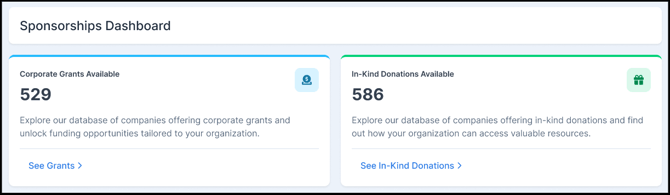
At the top of the dashboard, summary cards display live counts of corporate giving opportunities available in the Double the Donation database:
- Corporate Grants Available: Displays the total number of searchable corporate grant opportunities. Click See Grants to open the directory.
- In-Kind Donations Available: Displays the total number of corporate in-kind donation programs. Click See In-Kind Donations to jump directly to in-kind listings in the directory.
2. Pipeline Summary
The Pipeline Summary bar provides an at-a-glance breakdown of all active deal cards in your corporate pipeline. Click See Tracker Board at any time to open your full visual Kanban tracker.
The summary tracks opportunity counts across five distinct stages:
- Prospecting: Initial stage for identified corporate grant targets or new prospect cards added from the directory.
- Proposal Sent: Outbound applications or sponsorship pitches that have been formally submitted to corporations.
- Active Negotiation: Opportunities undergoing active review, follow-up meetings, or contract adjustments.
- Won/Fulfillment: Approved inbound commitments from your plugin and successful outbound grant applications requiring benefit delivery or sponsorship recognition.
- Closed: Declined commitments, rejected applications, or completed historical deals.

3. Today's Featured Opportunities
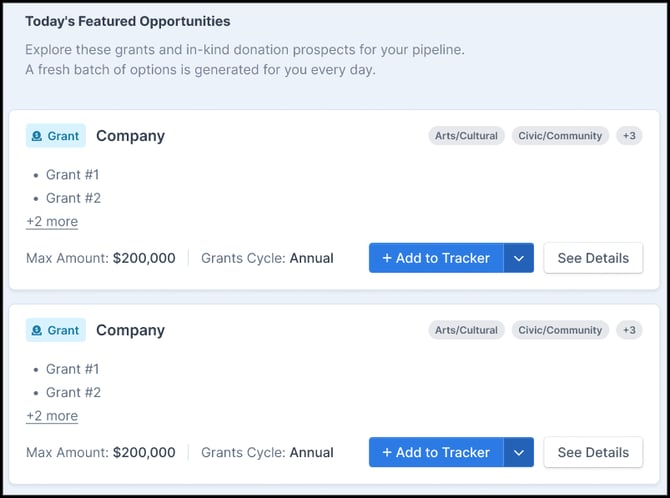
The dashboard displays a regularly refreshed batch of recommended corporate grants and in-kind opportunities tailored for your organization.
- Review opportunity details, including company name, grant titles, focus areas, maximum award amounts, and application cycles.
- Click See Details to view full corporate grant requirements.
- Click + Add to Tracker to convert any featured opportunity directly into an active outbound card in your pipeline.
4. Inbound Sponsorship Plugin Status & Quick Links
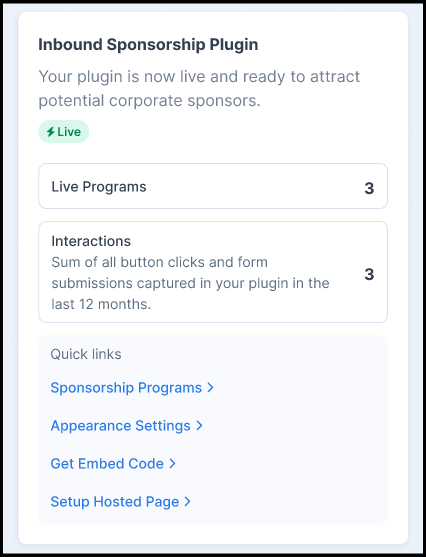
The right sidebar displays the operational status and quick metrics for your public-facing web plugin:
- Plugin Status: Shows whether your sponsorship portal is Live on your website.
- Live Programs: Displays the total number of active sponsorship tiers currently published in your plugin.
- Interactions: Summarizes total button clicks and form submissions captured through your embedded plugin.
- Quick Links: Jump directly to key setup pages, including Sponsorship Programs, Appearance Settings, Get Embed Code, and Setup Hosted Page.
5. Want to See More? (Search Directory)
Scrolling to the bottom of the dashboard reveals the Want to see more? banner. This section allows you to explore Double the Donation's full database of companies offering 1,000+ corporate grants and in-kind donation opportunities. Click Search Directory (1,000+) to launch the directory search engine and discover additional prospects for your pipeline.
