
Part 1: Activating Double the Donation Matching within Simple Tuition Solutions
Simple Tuition Solutions - Double the Donation FAQs
Double the Donation integrates directly with Simple Tuition Solutions so nonprofits can capture more matching gift revenue. With this integration, donors can identify their employers during checkout, and all donation data flows into Double the Donation for tracking and outreach.
Double the Donation helps nonprofits and schools grow revenue across workplace giving programs, including matching gifts, volunteer incentives, payroll giving, and corporate sponsorship opportunities. Our workplace giving automation platform identifies eligible opportunities and drives more submissions to completion.
You’ll need a Double the Donation account to activate this integration. Not a Double the Donation client? Schedule a demo at https://doublethedonation.com/get-a-demo/
Part 1: Activating Double the Donation Matching within Simple Tuition Solutions
- Log in to your Simple Tuition Solutions account.
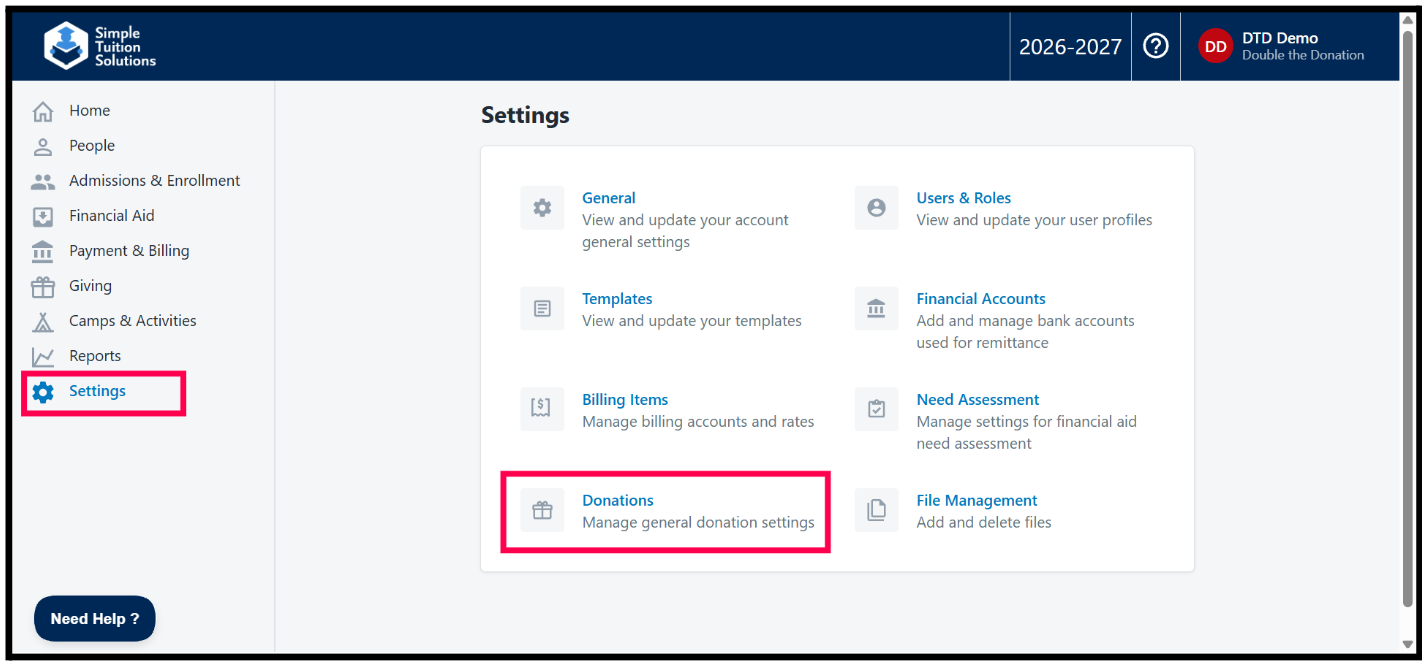
- Navigate to Settings, then go to Donations.
3. Under Integrations, look for Double the Donation and enter your Public Key from Double the Donation.
- Note: Make sure that Status is set to “Active.”
- How to find your API keys.
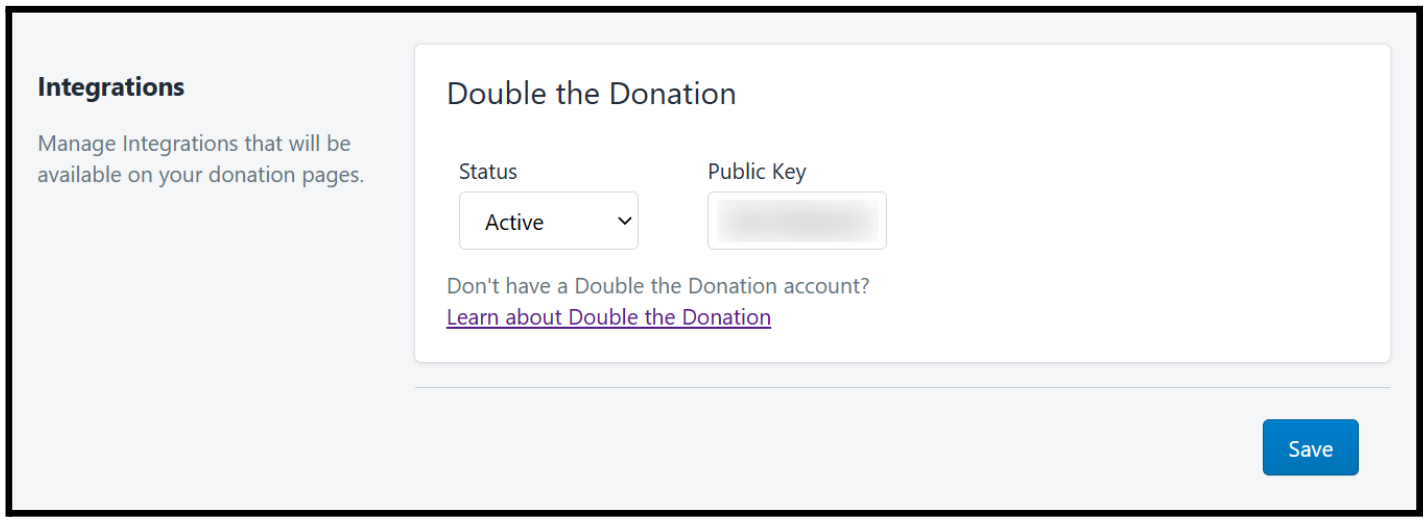
4. Click Save.
Part 2: Adding/Removing Double the Donation Matching on Individual Simple Tuition Solutions Giving Forms
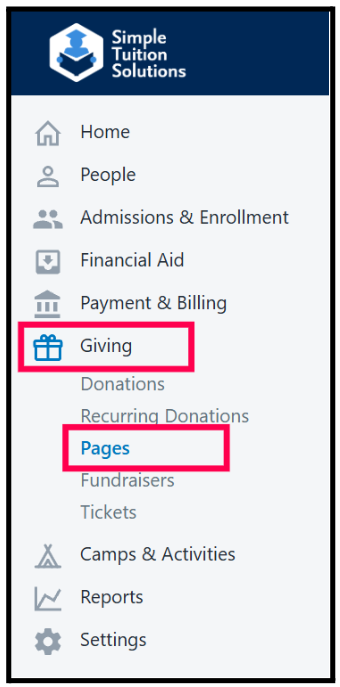
- Under Giving, go to Pages and select your donation form.
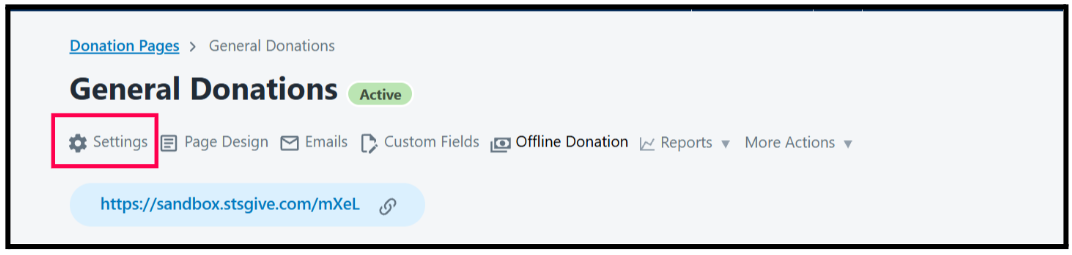
2. On your donation form, click Settings
3. Scroll to the Double the Donation Gift Matching and select Yes

Congratulations! Double the Donation Matching tools will now appear on your Simple Tuition Solutions Giving pages and donation records will begin flowing into your matching module.
Simple Tuition Solutions - Double the Donation FAQs
Q: I don't have a Double the Donation Matching account. How do I get one?
A: Visit https://doublethedonation.com/demo-request/ to request a demo. Make sure you mention that you use Simple Tuition Solutions in your demo request form!
Q: Where can I embed Double the Donation's matching gift search plugin?
A: We recommend that you incorporate Double the Donation's matching gift search tool across your broader fundraising. To install the search tool anywhere on your website, simply copy and paste the Embed Code from your matching module.
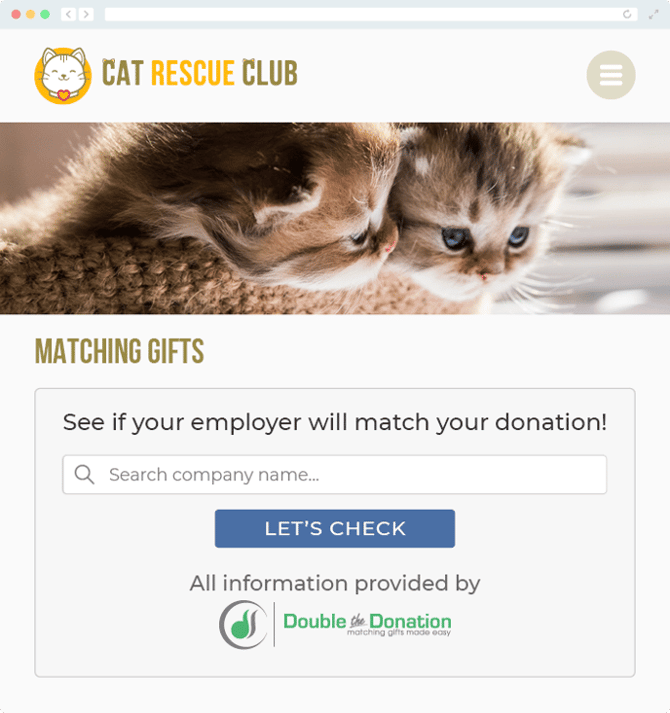
We recommend that you create a dedicated matching gift page where you can explain what matching gift programs are and provide donors with a chance to look up their employer's program forms, guidelines, and instructions. This page can be used as a resource to be included in emails, newsletters, and direct messages.
Take a look at an example from the Cat Rescue Club:
Q: What types of workplace giving programs does Double the Donation support?
A: Yes. Double the Donation helps nonprofits and schools maximize workplace giving by supporting a range of employer-sponsored programs, including:
- Matching gifts
- Volunteer grants and paid volunteer time off (VTO)
- Payroll giving
- Corporate sponsorship opportunities
To learn more:
- Current clients can visit our Knowledge Base or connect directly with our Support team to explore how to make the most of our full suite of products.
- To see how our partnerships and integrations help organizations unlock more workplace giving, check out our workplace giving integrations page.