
Step 1: Enable Double the Donation in Pledge It
Step 2: Add or Remove Double the Donation by Campaign
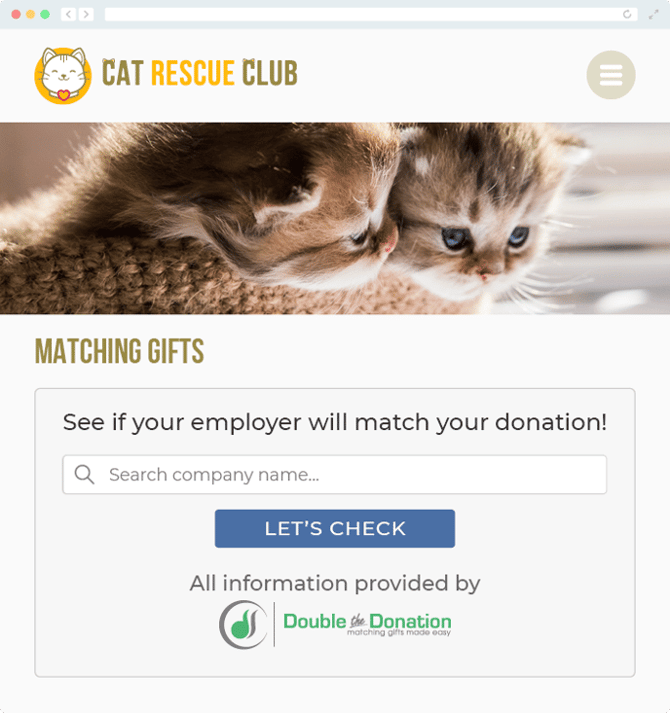
Double the Donation integrates directly with Pledge It so nonprofits can capture more matching gift revenue. With this integration, donors can identify their employers during checkout, and all donation data flows into Double the Donation for tracking and outreach.
Double the Donation helps nonprofits and schools grow revenue across workplace giving programs, including matching gifts, volunteer incentives, payroll giving, and corporate sponsorship opportunities. Our workplace giving automation platform identifies eligible opportunities and drives more submissions to completion.
You’ll need a Double the Donation account to activate this integration. Not a Double the Donation client? Schedule a demo at https://doublethedonation.com/get-a-demo/
Step 1: Enable Double the Donation in Pledge It
-
Log in to your Pledge It account.
-
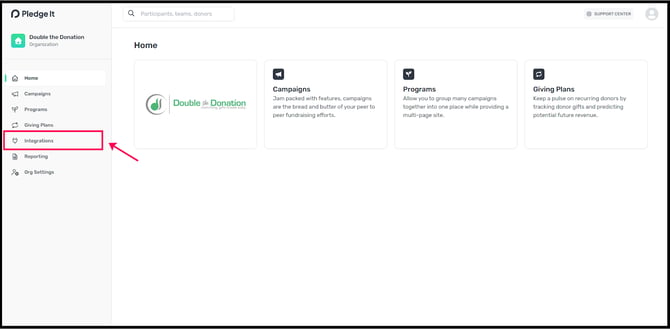
Navigate to Integrations.
-
Enter your Public Key and Private Key from Double the Donation.
-
Click Connect.
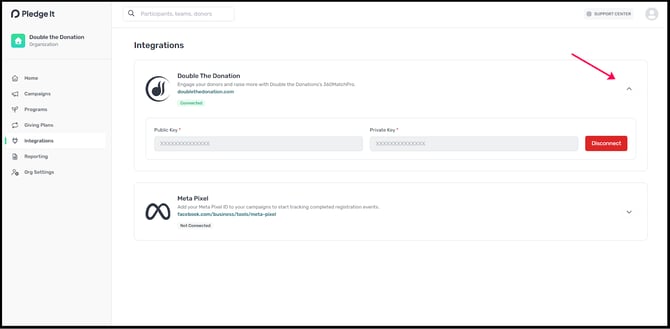
Double the Donation is now enabled on all eligible campaigns. Matching gift tools will appear on forms automatically.
Note: Once you follow the steps in Section 1, Double the Donation Matching should automatically be enabled on all eligible forms.
Step 2: Add or Remove Double the Donation by Campaign
If you’d like to adjust settings for specific campaigns:
-
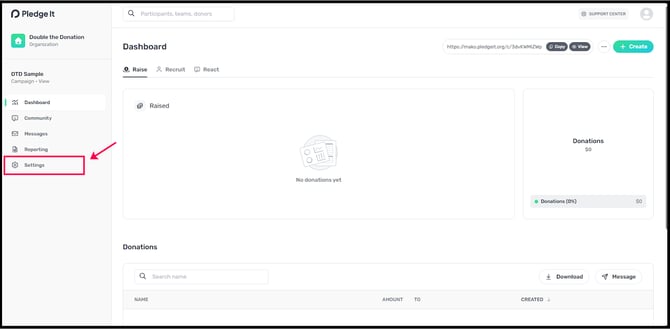
Navigate to the campaign you want to edit.
-
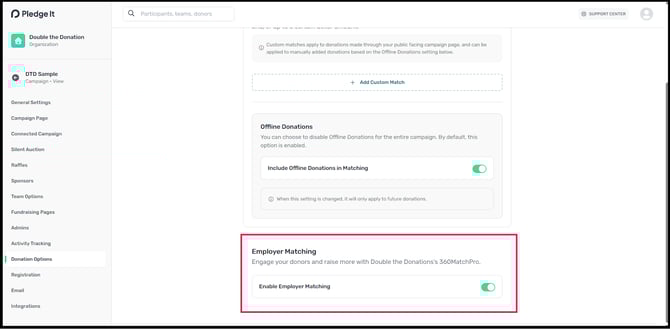
Go to Settings → Donation Options → Matching.
-
Scroll to Employer Matching and toggle on/off as needed.
FAQs
Q: I don't have a Double the Donation Matching account. How do I get one?
A: Visit https://doublethedonation.com/demo-request/ to request a demo. Make sure you mention that you use Pledge It in your demo request form!
Q: Can I enable matching gifts on some campaigns but not others?
A: Yes. By default, Employer Matching is enabled on all campaigns, but you can disable it per campaign under Settings → Donation Options → Matching.
Q: Can I enable Double the Donation at the program level?
A: No. Employer Matching is only supported at the campaign level, not programs or events. However, you can include Employer Matching for every campaign under Settings → Donation Options → Matching.
Q: Will donation fees be included in the gift total that flows into Double the Donation?
A: Yes. If a donor gives $100 and covers any processing fees, the total gift, donation+fees, flows into Double the Donation.
Q: Will pledges appear in Double the Donation?
A: Yes, but only after the pledge is fulfilled (when the donor is charged).
Q: What types of workplace giving programs does Double the Donation support?
A: Yes. Double the Donation helps nonprofits and schools maximize workplace giving by supporting a range of employer-sponsored programs, including:
- Matching gifts
- Volunteer grants and paid volunteer time off (VTO)
- Payroll giving
- Corporate sponsorship opportunities
To learn more:
- Current clients can visit our Knowledge Base or connect directly with our Support team to explore how to make the most of our full suite of products.
- To see how our partnerships and integrations help organizations unlock more workplace giving, check out our workplace giving integrations page.