
Neon Fundraise- Double the Donation FAQs
Double the Donation helps nonprofits and schools grow revenue across workplace giving programs, including matching gifts, volunteer incentives, payroll giving, and corporate sponsorship opportunities. Our workplace giving automation platform identifies eligible opportunities and drives more submissions to completion.
You’ll need a Double the Donation account to activate this integration. Not a Double the Donation client? Schedule a demo at https://doublethedonation.com/get-a-demo/
Connect your Double the Donation account to automatically add employer matching-gift tools to your donation forms. Once connected, the employer search widget and matching-gift confirmation message appear on your forms, prompting donors to check for and follow through on match opportunities.
Before You Begin
You'll need:
- An active Double the Donation account.
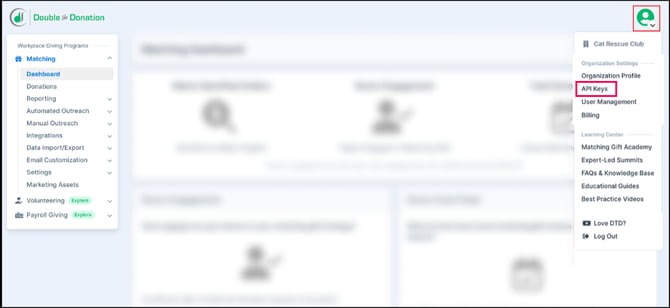
- Your Double the Donation public API key. This key is always exactly 16 characters and can only contain letters, numbers, hyphens, or underscores. You can find it by logging into Double the Donation and navigating to Profile > API Keys > Copy Public Key.
How to Connect Your Account
- In Neon Fundraise, open the campaign you want to connect.
- Navigate to System > Integrations > Employer Matching.
- In the Double the Donation 360MatchPro field, enter your API key.
- Click Save.
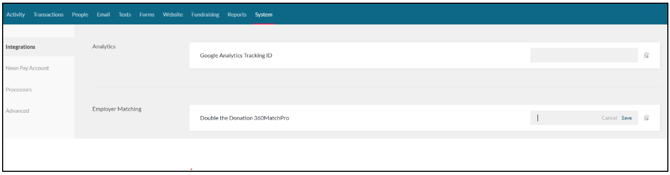
Note: Like other integrations on this page, this setting follows your organization's campaign hierarchy: if your campaign has a parent campaign in the hierarchy, it will inherit the API key setting, but you can override by clicking the "lock" icon next to the API key entry.
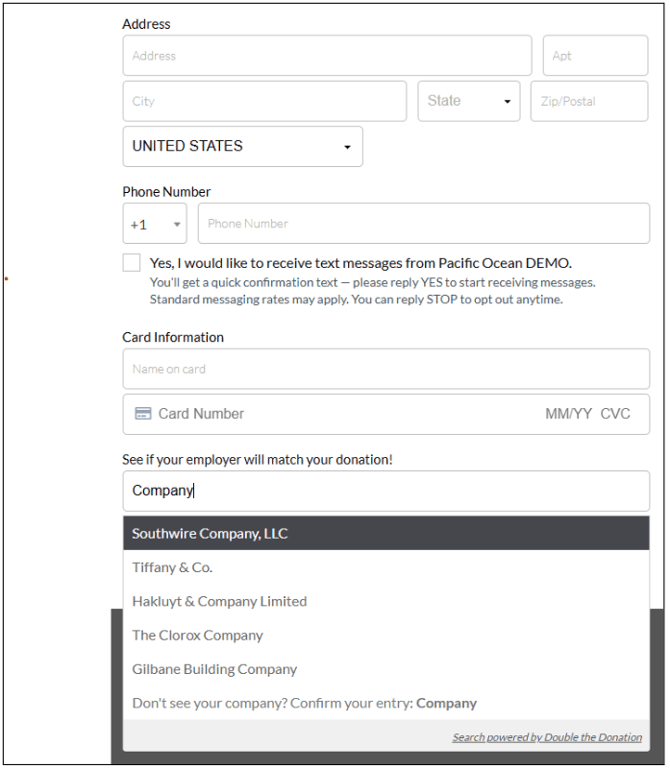
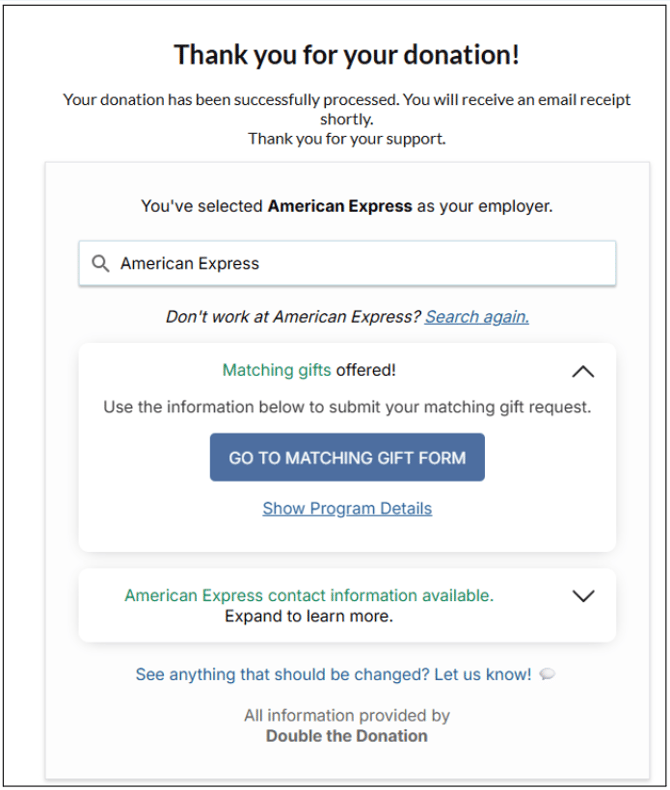
Once saved, the employer-search widget appears on your donation forms and the matching-gift confirmation message appears on your Thank You pages automatically, across standard, embedded, and lightbox forms. In addition to showing the confirmation message, the form submission records donor and match information in your Double the Donation account for tracking and match follow-up activities.
Employer Search Widget:
Matching Gift Confirmation Message:
Neon Fundraise- Double the Donation FAQs
Q: I don’t have a Double the Donation account. How do I get one?
A: Visit the Double the Donation demo request page to schedule a demo. Mention that you use Neon Fundraise in your demo request form.
Q: How do I capture offline donation records or other donation records that are not directly captured on my donation/peer-to-peer forms?
A: The following steps will walk through how to establish a direct link between Double the Donation and Neon Fundraise (Formerly known as Rallybound). After a direct link is established, new donation records in Neon Fundraise will automatically flow into Double the Donation.
High-Level Steps
-
Notify Double the Donation Support to affiliate your Neon Fundraise account.
-
In Double the Donation (https://doublethedonation.com/members/):
-
Go to Integrations → Browse
-
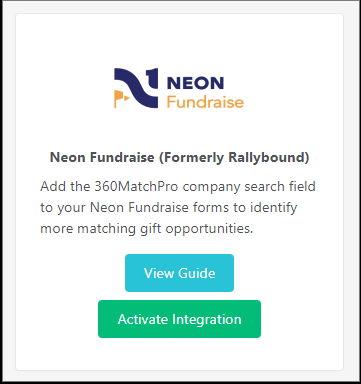
Search for Neon Fundraise
-
Click Activate Integration
-
-
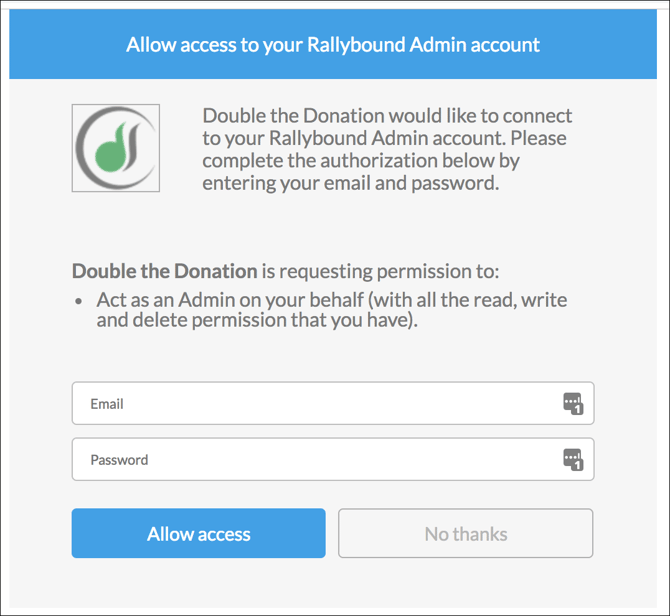
Log in to Neon Fundraise when prompted and grant access.
-
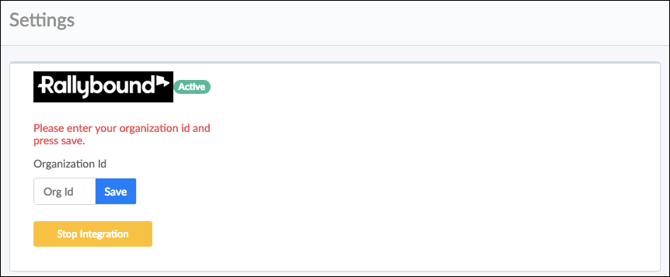
Enter your Organization ID and click Save.
-
Your integration will be active. At any point in time, you can discontinue the integration by pressing the "Stop Integration" button.
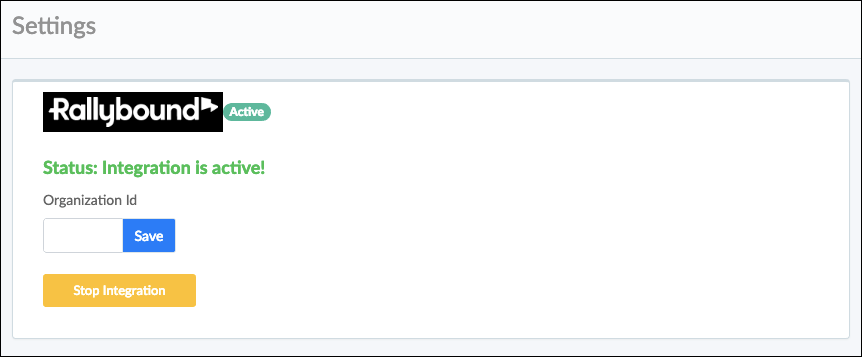
Note: If you have entered the correct credentials, clicked "Allow access," and received a message indicating that access is denied, please contact Double the Donation's support team. We will get in touch with Neon Fundraise to make sure that your organization is affiliated with Double the Donation's client-id.
Q: Do gifts from both individuals and companies flow into Double the Donation?
A: Yes, both individual and company donations flow into Double the Donation Matching.
Q: Where else can I embed Double the Donation's plugin, other than my Neon Fundraise donation page?
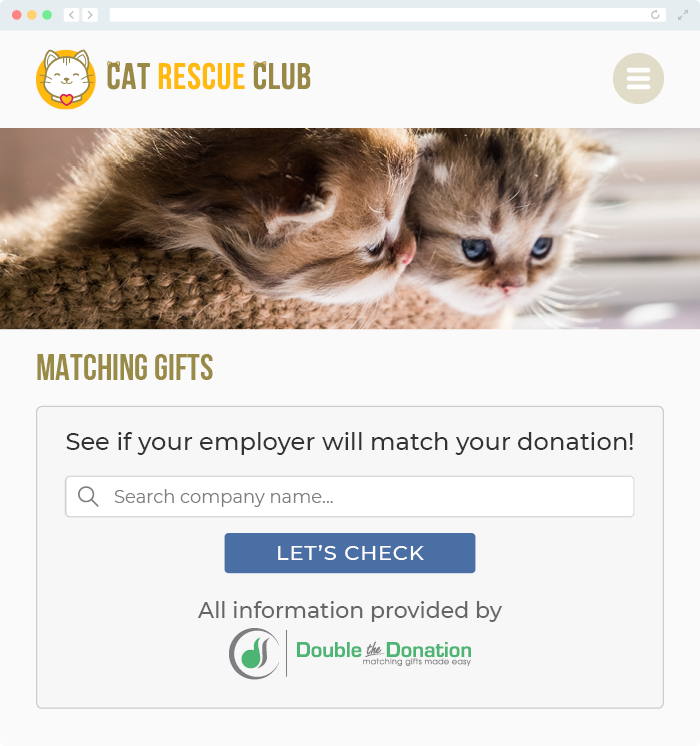
A: We recommend creating a dedicated matching gift page on your website. This page will help all website visitors, not just those on your donation form, understand matching gift programs and easily find their company’s matching gift guidelines and forms.
To embed the matching gift search tool, locate your embed code from your matching module. Full instructions are available here.
Q: Where can I learn more about the Double the Donation Matching and Neon Fundraise integration?
A: Navigate to our partner landing page to learn how Double the Donation Matching and Neon Fundraise can increase your matching gift revenue!
Q: What types of workplace giving programs does Double the Donation support?
A: Yes. Double the Donation helps nonprofits and schools maximize workplace giving by supporting a range of employer-sponsored programs, including:
- Matching gifts
- Volunteer grants and paid volunteer time off (VTO)
- Payroll giving
- Corporate sponsorship opportunities
To learn more:
- Current clients can visit our Knowledge Base or connect directly with our Support team to explore how to make the most of our full suite of products.
- To see how our partnerships and integrations help organizations unlock more workplace giving, check out our workplace giving integrations page.