
Phase 1: Setup within Blackbaud
Phase 2: Set up within Double the Donation Matching
Double the Donation - Blackbaud Online Giving FAQs
Double the Donation helps nonprofits and schools grow revenue across workplace giving programs, including matching gifts, volunteer incentives, payroll giving, and corporate sponsorship opportunities. Our workplace giving automation platform identifies eligible opportunities and drives more submissions to completion.
You’ll need a Double the Donation account to activate this integration. Not a Double the Donation client? Schedule a demo at https://doublethedonation.com/get-a-demo/
Section 1: Establishing a Connection Between Double the Donation Matching and Blackbaud Online Giving
Phase 1: Set up within Blackbaud
- Log in to your Blackbaud account
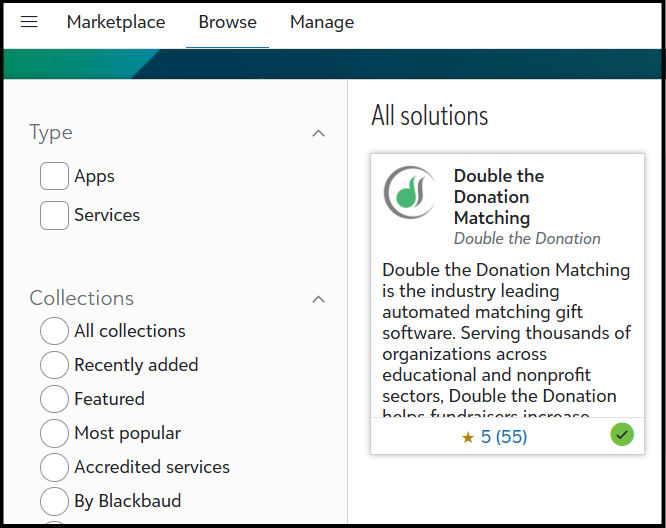
- Go to the Blackbaud Marketplace and search for the Double the Donation Matching app
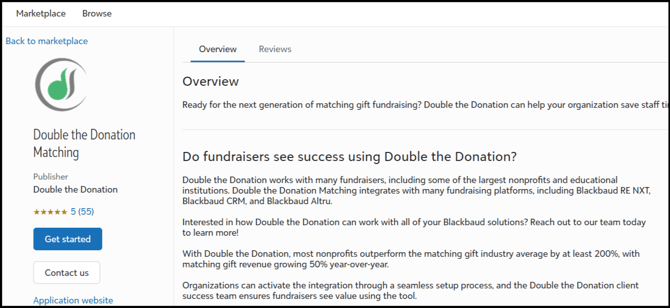
- Click Get Started to begin installation. (Note: Organization and Solution Admins must have Marketplace permissions in order to install the Double the Donation Matching application.)
Phase 2: Setup within Double the Donation Matching
- Log in to Double the Donation
- Navigate to the Integrations tab and click Browse.
- Search for your Blackbaud product and click Activate Integration.
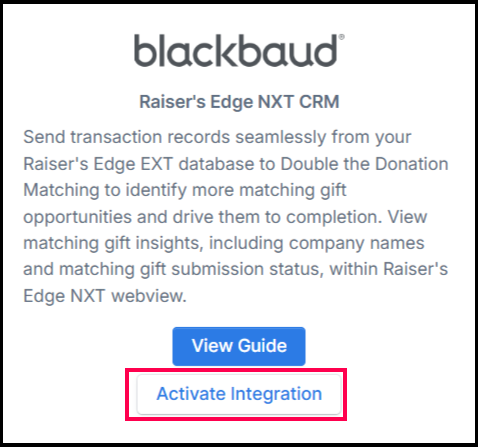
- You will be redirected to the top of the screen. Click Sign in with Blackbaud and enter your credentials to complete the connection.
(Note: If you are signed in to Blackbaud within the same browser, the next screen will automatically recognize your account and autofill your credentials.)
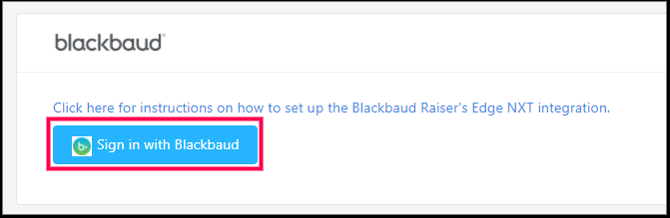
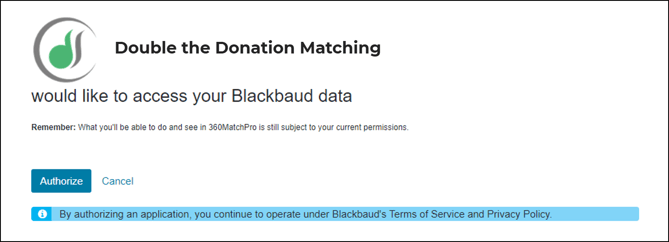
- Authorize the connection between Double the Donation and Blackbaud.
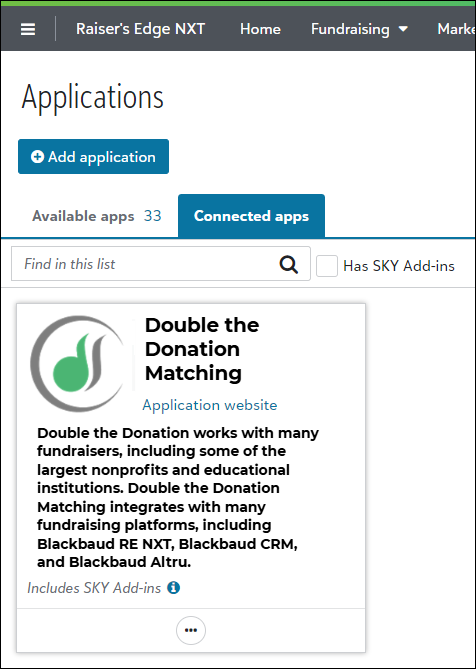
Congratulations! The Double the Donation Matching app should appear in the Connected Apps tab of your Applications list within Blackbaud
Section 2: Adding Double the Donation Matching to your donation forms
- Log in to your Blackbaud account
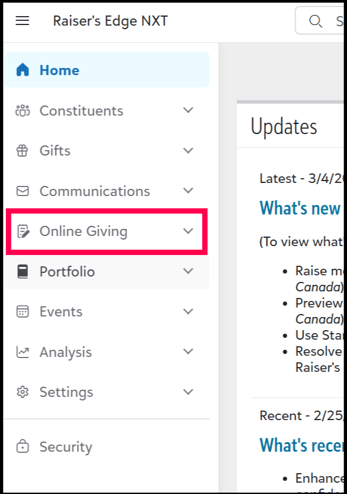
- Navigate to the left permanent sidebar and select Online Giving.
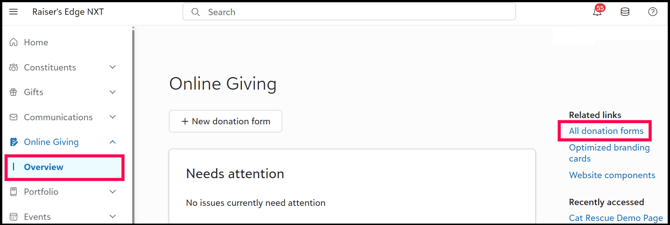
- Select Overview and then select All donation forms on the right-hand section of the screen.
2. Edit the Donation Form
- Select the form you wish to edit and click Edit Form. You can add Double the Donation tools to both your Standard and Optimized form configurations.
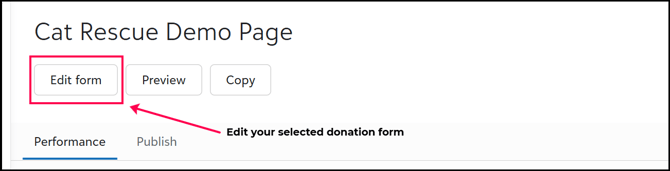
3. Add the Matching Gift Tool for Standard Forms
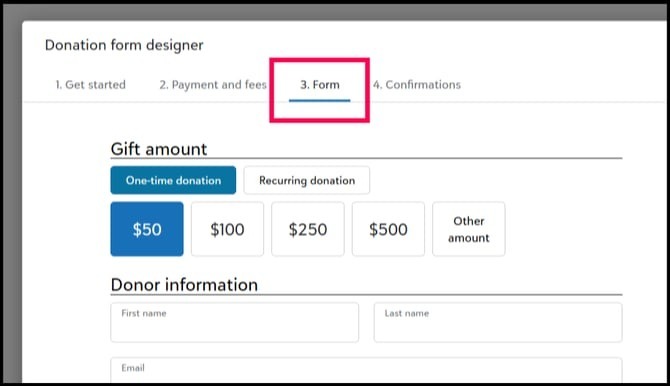
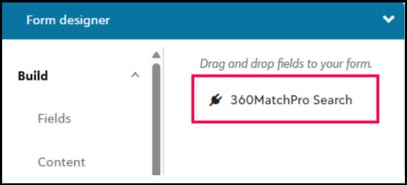
- In the 3. Form section, navigate to the Form designer and select the Add-ins tab. Drag the 360MatchPro Search onto the form wherever you would like the search tool to appear.
- The tool will then provide context into usage and customization options.
3.1 Add the Matching Gift Tool for Optimized Forms
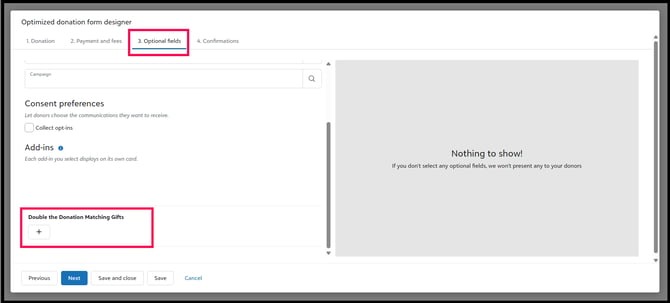
- In the 3. Optional Fields section, add the Double the Donation Matching Gifts add-in. It will appear as its own card in the post-transaction flow.
4. Finalize Setup
- Click Done and be sure to Save your forms regardless of type. The Double the Donation tools will now appear in your giving form flow.
Double the Donation - Blackbaud Online Giving FAQs
Q: I don't have a Double the Donation account. How do I get one?
A: Visit https://doublethedonation.com/demo-request/ to request a demo! Make sure you mention that you use Blackbaud Online Giving in your demo request form.
Q: Which Blackbaud products are compatible with the Double the Donation Matching and Online Giving integration?
A: Double the Donation Matching integrates with Online Giving for RE NXT, BBCRM, and Altru users.
Q: Do I need to be an administrator within my Blackbaud account to follow these integration steps?
A: Yes, both Solutions Admin and Organization Admin roles can grant access, provided they have marketplace permissions. User access can be adjusted under the "Security" tab of the Control Panel. For more details on administrator roles, refer to the administrator roles documentation.
Q: Where can I embed Double the Donation's matching gift search plugin?
A: We recommend that you incorporate Double the Donation's matching gift search tool across your broader fundraising. To install the search tool anywhere on your website, simply copy and paste the Embed Code from your matching module.
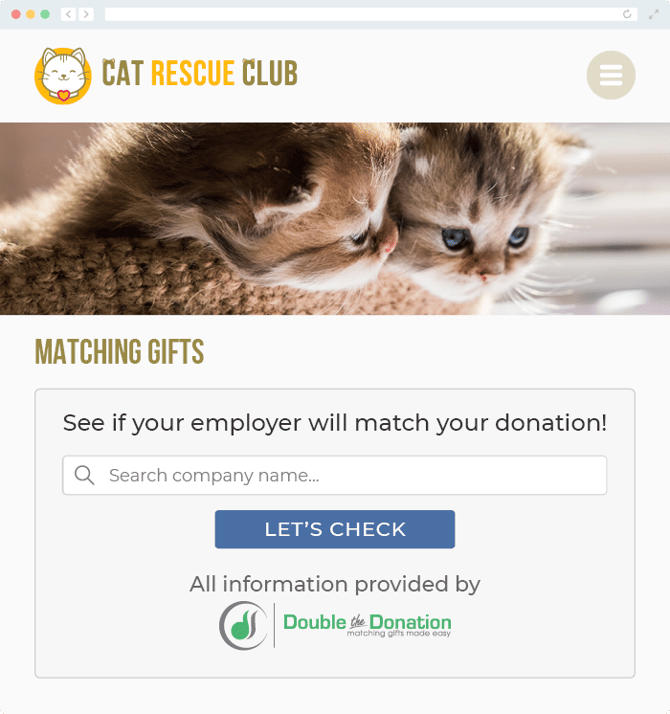
We recommend that you create a dedicated matching gift page where you can explain what matching gift programs are and provide donors with a chance to look up their employer's program forms, guidelines, and instructions. This page can be used as a resource to be included in emails, newsletters, and direct messages.
Take a look at an example from the Cat Rescue Club:
Q: Where can I learn more about the Double the Donation Matching and Blackbaud Online Giving integration?
A: Navigate to our partner landing page to learn how Double the Donation Matching and Blackbaud can increase your matching gift revenue!
Q: What types of workplace giving programs does Double the Donation support?
A: Yes. Double the Donation helps nonprofits and schools maximize workplace giving by supporting a range of employer-sponsored programs, including:
- Matching gifts
- Volunteer grants and paid volunteer time off (VTO)
- Payroll giving
- Corporate sponsorship opportunities
To learn more:
- Current clients can visit our Knowledge Base or connect directly with our Support team to explore how to make the most of our full suite of products.
- To see how our partnerships and integrations help organizations unlock more workplace giving, check out our workplace giving integrations page.