
Overview of the Sponsorship Tier Builder
Interactive Sponsorship Tier Builder Tool
How to Use the Sponsorship Tier Builder
Adding Generated Tiers to Your Account
Overview of the Sponsorship Tier Builder
Designing effective corporate sponsorship packages requires balancing corporate benefit deliverables with realistic financial pricing. The Sponsorship Tier Builder streamlines this process by automatically generating structured, multi-tier sponsorship packages tailored specifically to your organization's mission, impact area, and event scope.
Once generated, you can copy your custom tiers and populate them directly into your Double the Donation account to display on your public-facing website plugin.
Interactive Sponsorship Tier Builder Tool
Use the embedded builder below to generate custom sponsorship packages for your organization.
How to Use the Sponsorship Tier Builder
- Enter Organization Details: Fill out key information about your nonprofit, including your organization's name, primary impact focus, and target business audience. (Note: For event-driven organizations, fill in optional fields like flagship event attendance.)
- Select Program Goals: Define your target annual sponsorship budget and select the recognition perks you offer to corporate partners (e.g., logo placements, speaking opportunities, digital recognition, or naming rights).
- Configure Custom Fields: Specify any required information you need to collect from corporate representatives when they commit (e.g., t-shirt sizes, dietary restrictions, or corporate contact titles).
- Generate Tiers: Click Generate My Tiers. The tool will analyze your inputs and build a structured, multi-tier sponsorship breakdown (e.g., Title Sponsor, Spotlight Sponsor, Ally Sponsor) complete with recommended pricing and perk lists.
Adding Generated Tiers to Your Account
After generating your custom sponsorship tiers, follow these steps to make them live on your website plugin:
Option 1: Schedule Time with Our Team (Onboarding Support)
- In the builder tool banner, click Copy My Tiers to Notes to save your generated tier breakdown to your clipboard.
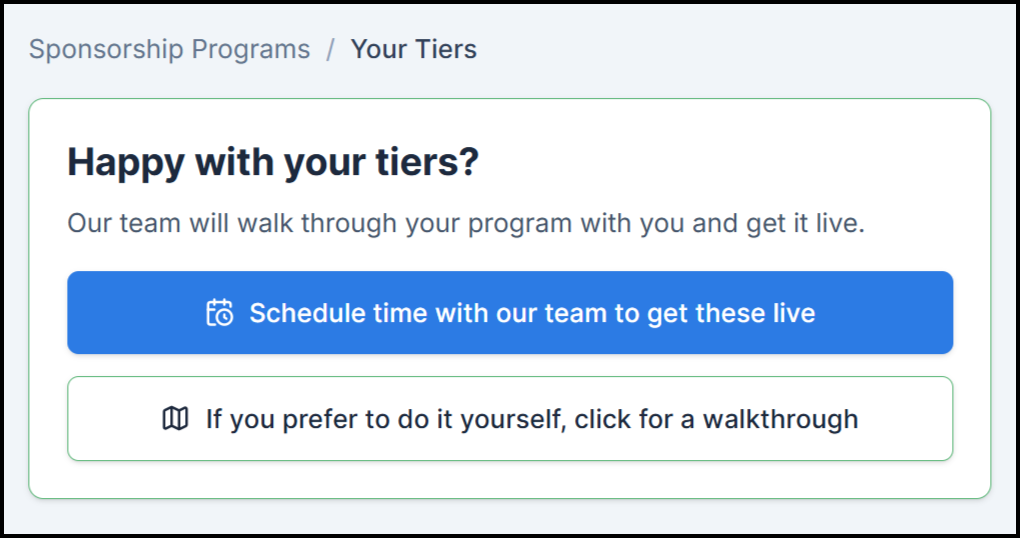
- Click Schedule time with our team to book a 1-on-1 session with a Double the Donation specialist, who will guide you through setting up your generated tiers inside your account.
Option 2: Get Your Tiers Live Manually (Self-Service Walkthrough)
- Click If you prefer to do it yourself, click for a walkthrough inside the builder tool to launch an interactive, step-by-step guide.
- Log into your Double the Donation account and navigate to Sponsorships → Manage Plugin → Sponsorship Programs.
- Click + Create New for each tier, enter your generated names, prices, descriptions, and perks into the form fields, and click Publish Program.
Frequently Asked Questions
Q: Can I edit the generated tiers after copying them into my account?
A: Yes. The tier builder provides recommended starting structures. Once pasted into Sponsorships → Manage Plugin → Sponsorship Programs, you retain full flexibility to adjust pricing, edit benefit copy, or upload custom graphics before publishing.
Q: Can I update my published sponsorship tiers later?
A: Yes. If a published tier has not received any commitments, you can edit it directly. If a commitment has already been submitted against a published tier, the program locks into Read-Only Mode to preserve historical records. You can update locked tiers at any time by clicking + Create New Version.
Q: Where can I learn more about embedding the sponsorship plugin on my website?
A: For complete instructions on embedding your custom tiers onto your website, see our step-by-step guide: Getting Started: Setting Up and Customizing the Corporate Sponsorships Plugin.