
Step-by-Step: Integrate Double the Donation Matching into raisin® Donation Forms and Pledge Pages
Integrate Double the Donation Matching on Standard Donation Forms:
Integrate Double the Donation Matching onto Pledge Pages
raisin - Double the Donation FAQs
Double the Donation helps nonprofits and schools grow revenue across workplace giving programs, including matching gifts, volunteer incentives, payroll giving, and corporate sponsorship opportunities. Our workplace giving automation platform identifies eligible opportunities and drives more submissions to completion.
You’ll need a Double the Donation account to activate this integration. Not a Double the Donation client? Schedule a demo at https://doublethedonation.com/get-a-demo/
Step 1 — Enable Double the Donation in General Setup
In your raisin® account:
-
Go to General Setup
-
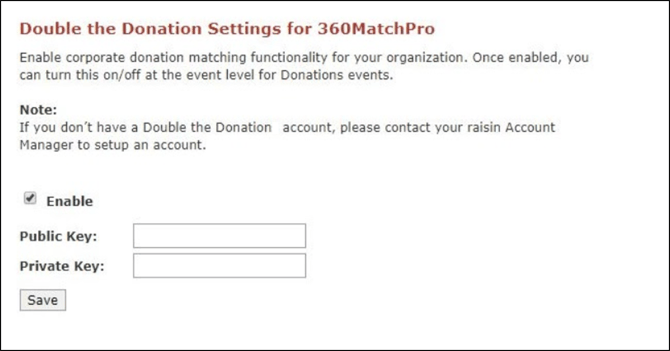
Open Integrations → Double the Donation
-
Check Enable
-
Enter your Public API Key and Private API Key
-
Not sure how to find your API keys? Check out this article.
-
-
Click Save
Step 2 — Choose Activation Method for Donation Events
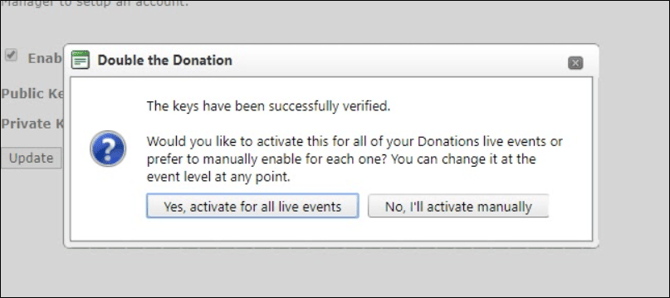
During first-time setup, you are prompted to choose:
-
Option A — ✓ Strongly Recommended
-
Activate for all live events → This automatically applies Double the Donation Matching to every current Donations module event.
-
-
Option B — Manual Activation
-
Select No, I’ll activate manually → You will later enable the integration event-by-event.
-
Step 3 — Enable Automated Outreach
For each Donations event:
-
Go to Donation Options
-
Scroll to the Double the Donation Matching section
-
Check the second box labeled Include transactions for donors who have not entered an employer for gift matching
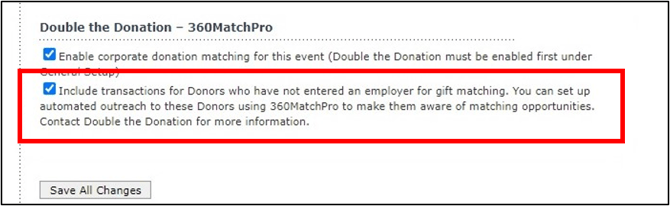
This setting unlocks all Double the Donation automated outreach streams, increasing match submissions.
Integrate Double the Donation Matching onto Pledge Pages
After integrating your matching module by following Step #1 above, you can add Double the Donation to your pledge pages.
Step 1 — Open Sponsorship Levels
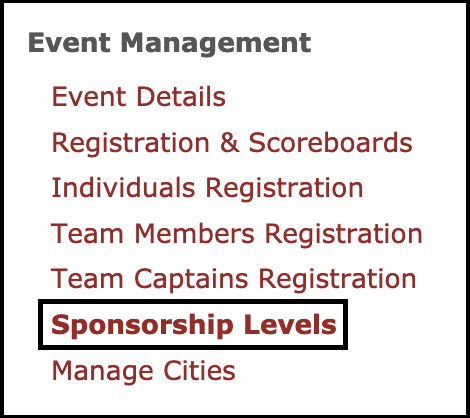
Navigate to your Pledge or Multi-Pledge event → open Sponsorship Levels.
Step 2 — Enable Corporate Donation Matching
Scroll to the Double the Donation Matching section and check: Enable corporate donation matching
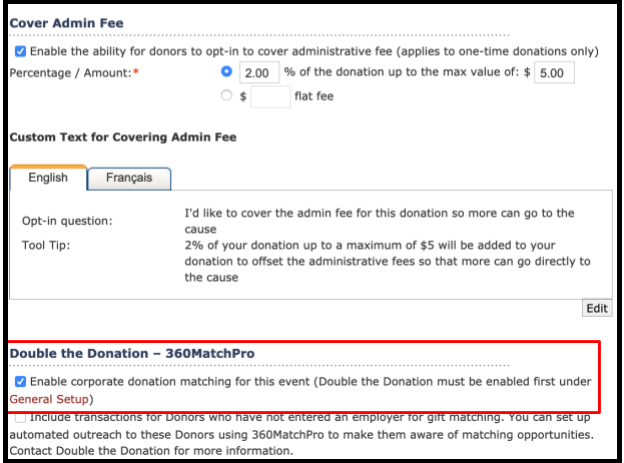
Step 3 — Enable Outreach for Donors Without Employer Data (Recommended)
Check: Include transactions for donors who have not entered an employer for gift matching
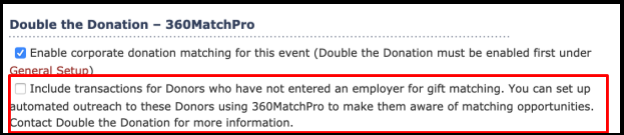
This triggers Double the Donation’s identification-in-progress messaging.
Q: I don’t have a Double the Donation account. How do I get one?
A: Visit the Double the Donation demo request page to schedule a demo. Mention that you use raisin in your demo request form.
Q: Can I customize gift-matching results by country or region?
A: Yes! Check out this support page to learn how to include or exclude companies based on region.
Q: What raisin modules can be integrated with Double the Donation Matching?
A: As of the initial release, Double the Donation Matching is only available for one-time and tribute donations on the raisin Donations module. Contact the raisin and Double the Donation teams to check in on plans to expand functionality soon.
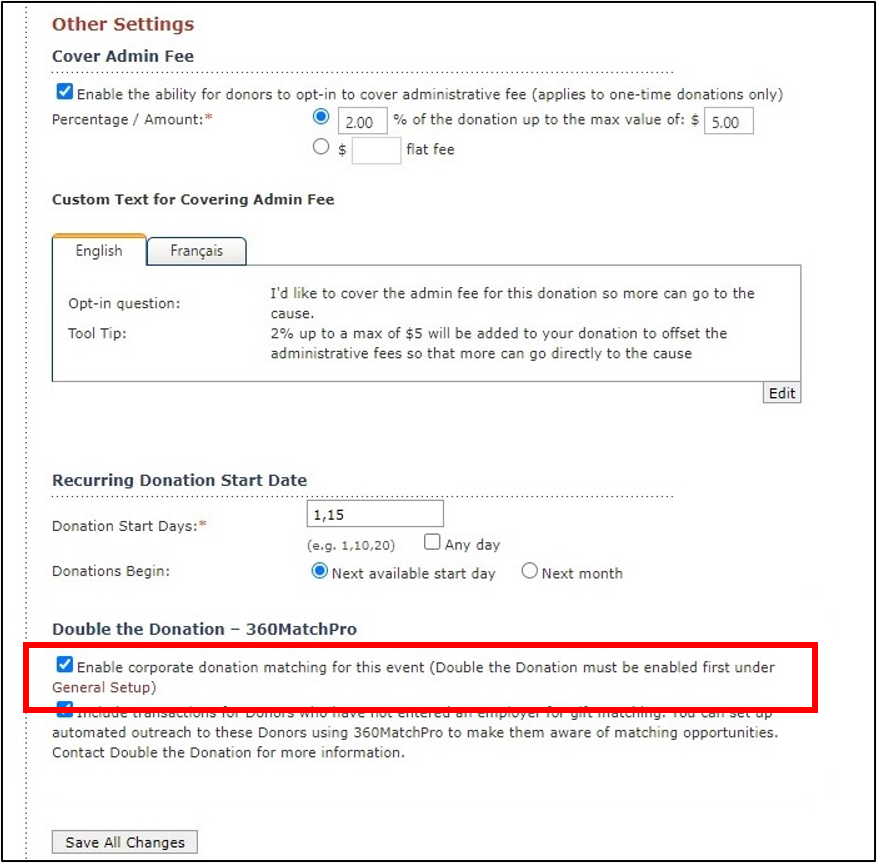
Q: Can I add or remove the Double the Donation Matching functionality from individual forms?
A: Yes. Go to the event’s Donation Options → Other Settings and check/uncheck: Enable corporate donation matching for this event
Q: Where else can I embed Double the Donation's plugin?
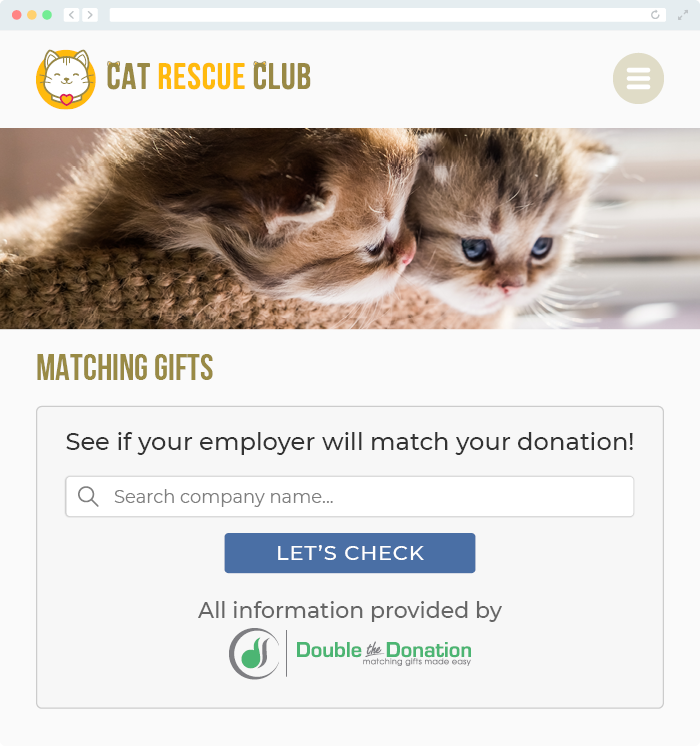
A: We recommend creating a dedicated matching gift page on your website. This page will help all website visitors, not just those on your donation form, understand matching gift programs and easily find their company’s matching gift guidelines and forms.
To embed the matching gift search tool, locate your embed code from your matching module. Full instructions are available here.
Q: Where can I learn more about the Double the Donation Matching and raisin® integration?
A: Navigate to our partner landing page to learn how Double the Donation Matching and raisin can increase your matching gift revenue!
Q: What types of workplace giving programs does Double the Donation support?
A: Yes. Double the Donation helps nonprofits and schools maximize workplace giving by supporting a range of employer-sponsored programs, including:
- Matching gifts
- Volunteer grants and paid volunteer time off (VTO)
- Payroll giving
- Corporate sponsorship opportunities
To learn more:
- Current clients can visit our Knowledge Base or connect directly with our Support team to explore how to make the most of our full suite of products.
- To see how our partnerships and integrations help organizations unlock more workplace giving, check out our workplace giving integrations page.