
1. Streamlined Main Navigation
We have centralized the navigation framework to ensure the portal remains easy to use as new features are deployed.
- Removal of Top Navigation: The top bar has been removed to provide a focused, unified experience within the left-hand menu.
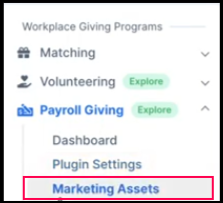
- "Workplace Giving Programs" Group: A new sidebar section houses Matching, Volunteering, and Payroll Giving in one organized location.
Then:

Now:
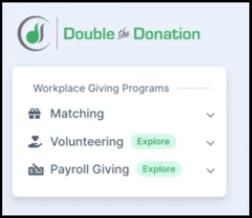
- Feature Discovery Tags: * "Explore" tags highlight the Volunteering and Payroll Giving modules.
- "New" tags identify fresh features,
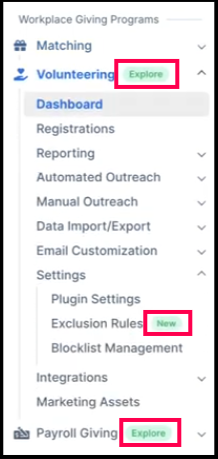
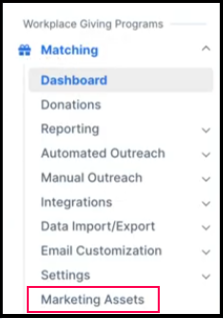
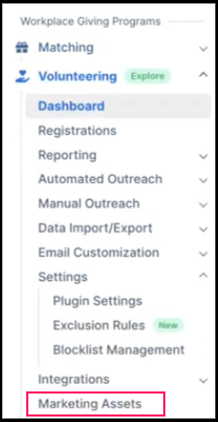
- Marketing Assets: This remains a standalone, easily accessible item on the left-hand menu for your convenience.
- Matching Module
-
- Volunteering Module
-
- Payroll Giving Module
2. Centralized Organization Settings
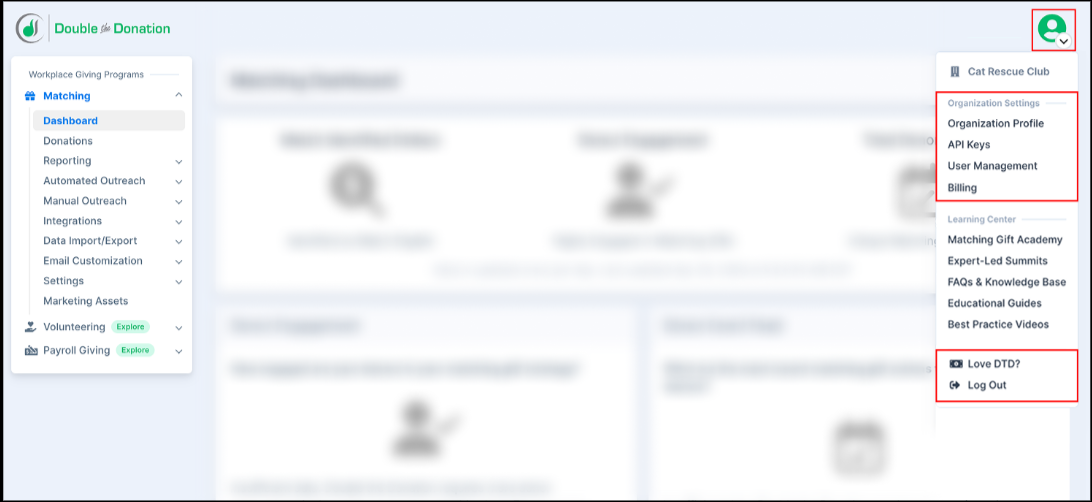
To streamline navigation, we have moved all universal settings to the Account Profile Dropdown in the top-right corner. This distinguishes tools that affect your entire account from those that only affect a single module.
The following items have moved from the Matching menu to "Organization Settings":
- Organization Profile
- API Keys
- User Management
- Billing
- Love DTD? and Log Out also live exclusively in this dropdown to save screen space.
3. Enhanced Learning Center
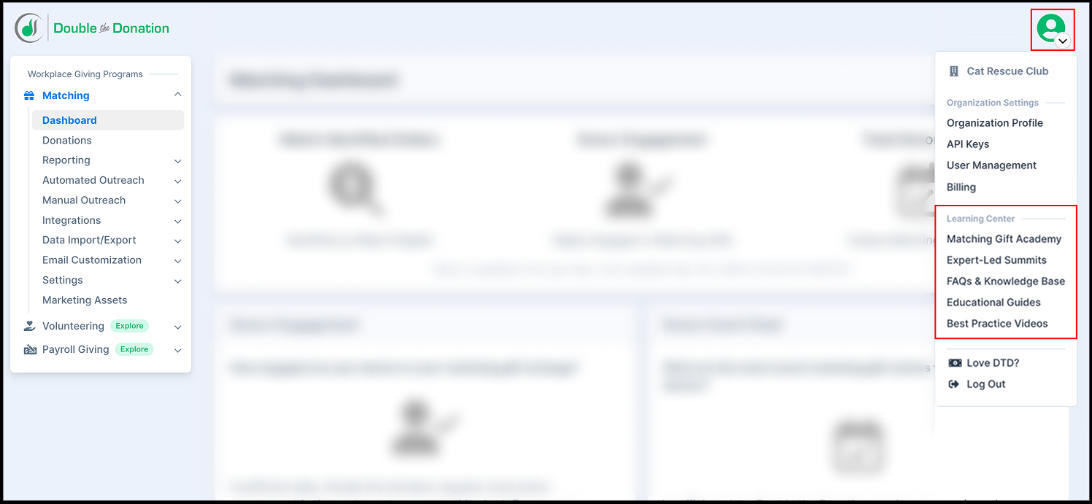
Support resources now have a dedicated home in the Account Dropdown, ensuring they are always available without cluttering your daily workspace.
We have updated the names of our resources to better reflect the expert content provided:
- Matching Gift Academy: Your central hub for platform mastery.
- Expert-Led Summits: Access our library of high-level industry summits focused on the future of workplace giving.
- Best Practice Videos: (Formerly Training Videos) Short, actionable videos to optimize your strategy.
- FAQs & Knowledge Base: Quick answers to common technical questions.
- Educational Guides: In-depth manuals for program success.
Quick Reference: Where is my tool?
|
If you are looking for... |
Look here! |
|
Integrations or Outreach |
Left-hand Sidebar (Matching Module) |
|
Adding a New User |
Account Dropdown > Organization Settings |
|
Updating Billing Info |
Account Dropdown > Organization Settings |
|
Training & Summits |
Account Dropdown > Learning Center |